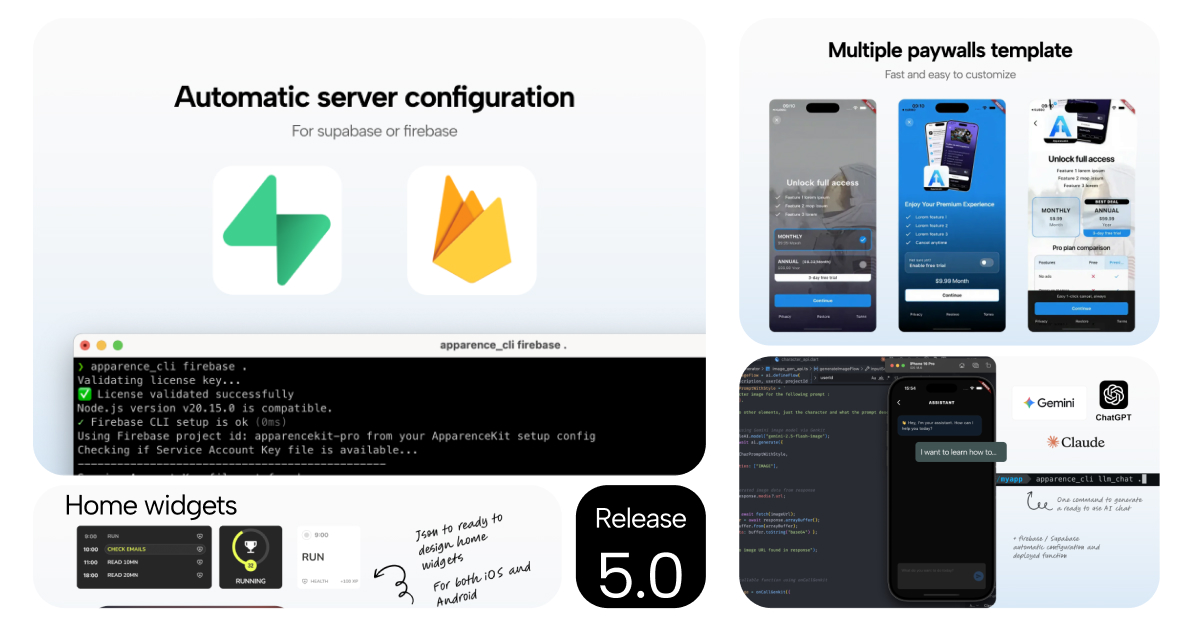
ApparenceKit V5 is certainly the biggest release since the beginning of the project. It started as a simple flutter template generator, but with the time I wanted to push it further and further to make it the ultimate tool to create and ship flutter apps as fast as possible.
I kept launching my own apps and documenting all the things I could automate or reuse on different apps — from code to App Store Optimization. With ApparenceKit V5 I'm introducing a lot of new features that I learned from all the apps I shipped last year.
☁️ Automatic Supabase or Firebase setup
From 0 to fully configured app and server in 3 minutes.
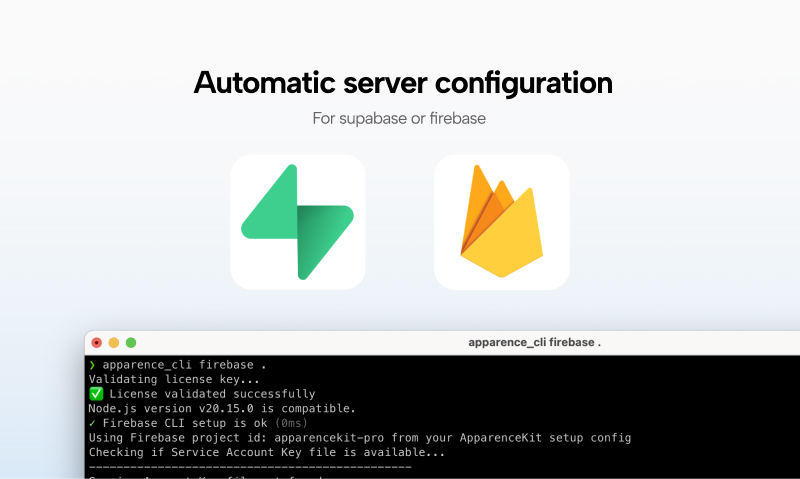
One of the biggest time consumer when starting a new app is to setup the backend. Either with Firebase or Supabase, there is always a lot of configuration to do. This required to read docs and follow step by step the setup process. But with ApparenceKit V5, you can now have your backend configured automatically. No more manual setup, no more reading docs, just run the command and let the CLI do the work for you.
I could remove all the documentation related to the backend setup because everything is now automatic. But I will keep it for those who want to understand what is happening behind the scene.
💻 Reworked CLI tool
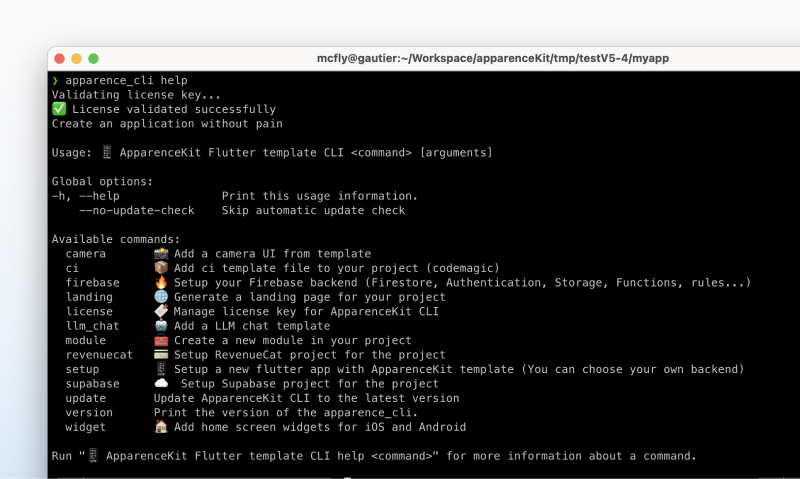
The CLI tool has been completely reworked to provide a better user experience.
- easy to install : a simple command line to install the CLI globally on your machine
- interactive setup : a step by step interactive setup to configure your app and backend
- update command : update your CLI tool to the latest version
🤩 generate iOS and Android home widget from a JSON
One of the biggest pain point when developing a mobile app is to create home screen widgets for iOS and Android. You need to configure them on both native platforms and write a lot of boilerplate code. Since you can't use flutter to create home screen widgets, you need to switch between flutter and native code all the time. But also configure them and schedule updates.
With ApparenceKit V5, you can now generate iOS and Android home screen widgets from a simple JSON configuration.
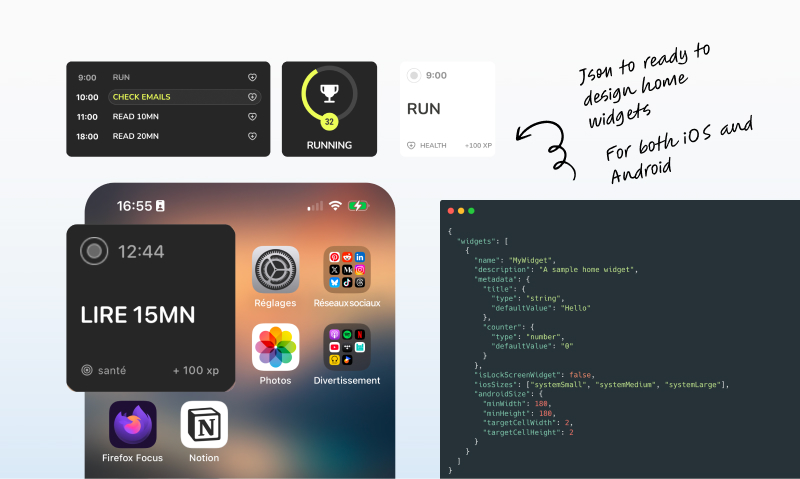
Then you can simply change the update method for each widget to fetch data from your backend or display dynamic content. And update the generated native code that already contains all the data fetching logic.
TLDR:
- no more headaches configuring home screen widgets on XCode
- no more headaches configuring home screen widgets on Android
- generate widgets from a simple JSON configuration
- pre-configured data fetching logic to display dynamic content
- pre-configured background update methods to schedule widget updates every 15 minutes, every hour, every day...
🤖 LLM chat template (to start creating a chat with AI)
AI is everywhere and it's a game changer for mobile apps.
With ApparenceKit V5, I'm introducing a new LLM chat template that you can use to start creating a chat with AI in your app. I kept it simple and generic so you can customize it as you want. As it's using GenAI you can switch between different providers (OpenAI, Gemini, Anthropic...) easily by changing the model configuration.

📸 Ready to customize landing page
Landing page is not the main priority when launching a mobile app. But what if you could have a beautiful landing page ready to be customized in minutes? Tons of people keep searching on the web maybe to find your app.
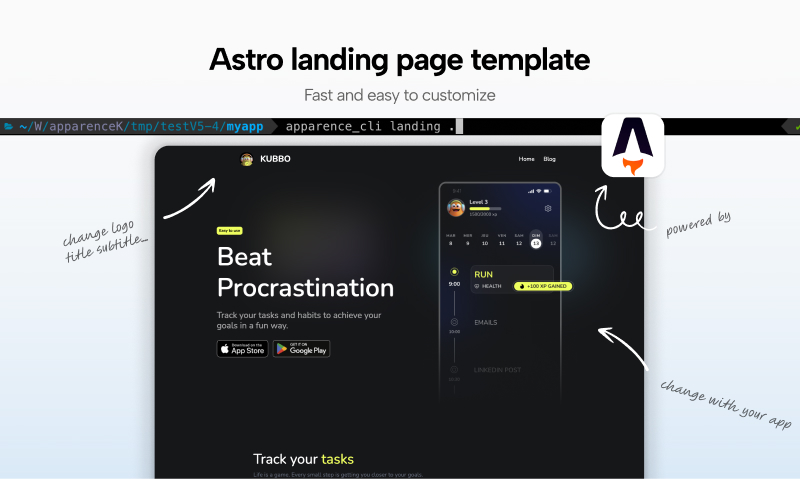
- powered by astro, the landing page is a static site generator super fast and easy to customize
- pre-configured with SEO best practices
- configure simply by editing a JSON file
- change images, texts, colors... everything is customizable
- deploy everywhere with one command (vercel, netlify, firebase...)
PS: you need a landing page to also publish your privacy and terms of service. Don't forget editing them.
💵 3 Paywall templates included
Monetizing an app is not easy. Changing the UI of your paywall can triple your conversion rate. That's why you need to test different paywall designs to find the one that works best for your app.
I included 3 popular paywall templates that I used in my own apps.
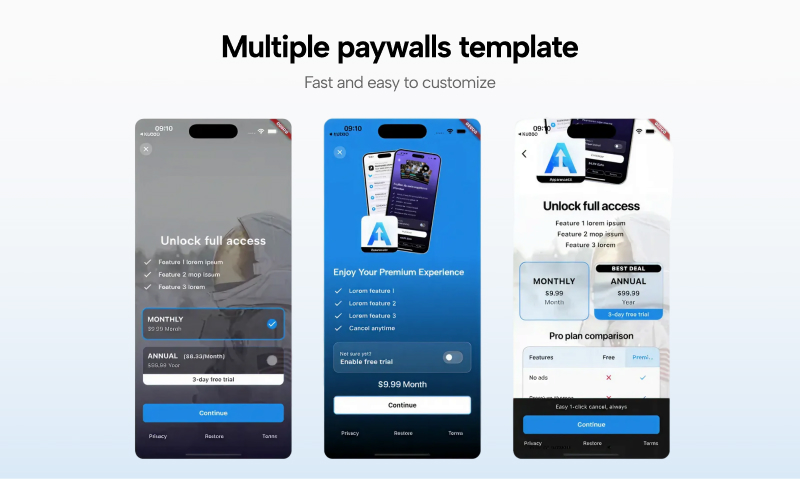
Plus you have the possibility to create your own paywall template. By simply customizing or reusing the different widgets available in the subscription module.
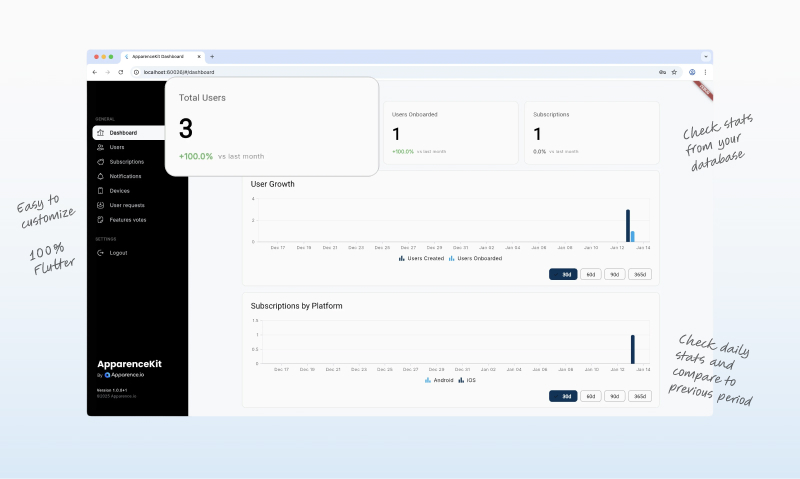
📈 Improved Dashboard with stats page
The dashboard has been improved with a new stats page to monitor your app's performance.
This dashboard is pre-configured to track:
- user signups
- user that finished onboarding
- paid users
I also updated to latest Riverpod version — check our tip on reducing Riverpod boilerplate
I'm also thinking on how to use this dashboard to track meta ads metrics and events to help you optimize your ad campaigns. But that's not for now.
Complete change log
I also took the time to improve some modules that were already available and some new features.
- in app payment (+ 3 NEW paywall templates)
- subscription management - IMPROVED
- ask for rating popup - NEW (handle also the delay between prompts)
- notifications module - IMPROVED
- local notification management : you can now schedule, update and cancel local notifications
- meta ads server side events - NEW (you can now send server side events to meta ads for better ad targeting)
- meta ads app events - NEW (automatically track app events for better ad targeting)
- event dispatcher - NEW (centralized event management for better code organization)
- update log bottom sheet - NEW (show once to users what's new in the latest version of your app)
- settings admin panel - NEW (test mode for in app purchases, reset onboarding...only in debug mode)
- Claude rules - NEW (pre-made rules to use with Claude)
- test paywalls without configuring RevenueCat API Keys - NEW (in debug mode, you can test paywalls without configuring RevenueCat API Keys. We simply create some products mock data and warn you to configure RevenueCat for production)
- updated documentation - all the new features are documented with step by step guides
PS: after you finished the setup you can directly launch your app. We configure everything for you.
What's next?
With ApparenceKit V5 I'm packaging the tools to ship amazing flutter apps really really fast with a solid backend and all the features you need to grow your app. Get started with ApparenceKit and see for yourself.
Here's the new video presenting ApparenceKit on youTube: