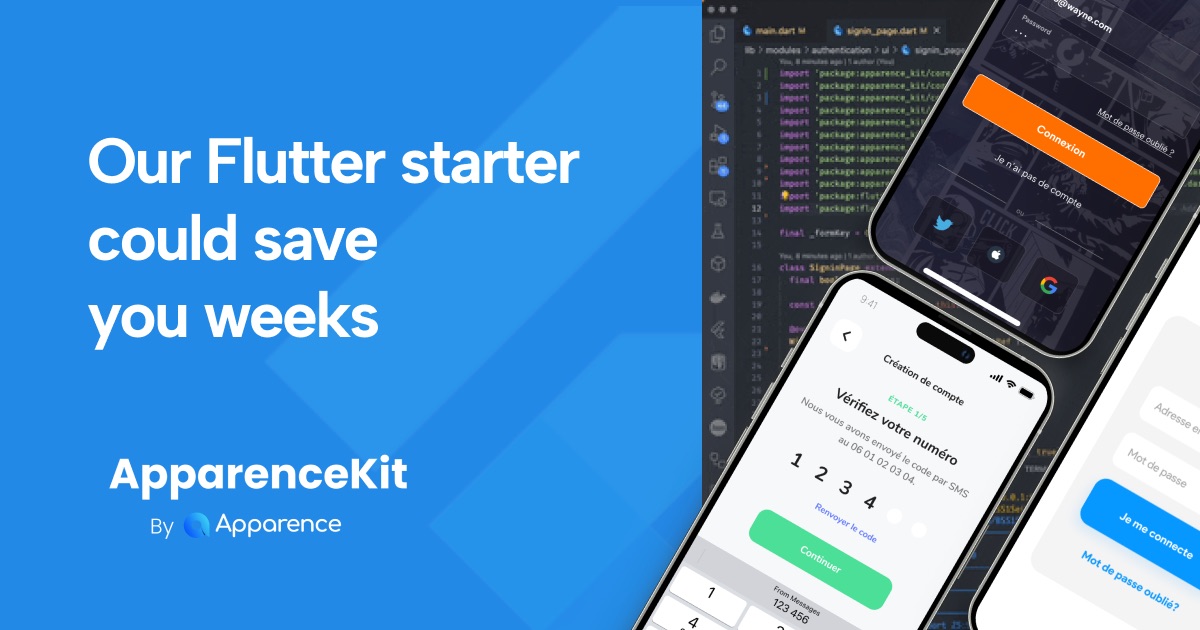
AI is getting better every day. So you might ask yourself: "Should I buy a Flutter template, or build my app from scratch?" The honest answer: it depends on your goals and constraints.
The short version: if you're learning Flutter or building a quick prototype, build from scratch — the journey is the value. If you're shipping a real product with real users, buying a Flutter template like ApparenceKit will save you months of boilerplate code and edge-case debugging. The rest of this article breaks down the real cost of each path, when each one makes sense, and what to look for if you go with a template.
Why I'm qualified to answer this
I've been running a Flutter agency for 7+ years. Building apps from scratch is what we did every day, for clients including INRIA and Wolters Kluwer.
Over those years, I noticed we kept repeating the same boilerplate on every project: auth, payments, push notifications, onboarding flows, CI/CD setup. We built our own internal starter kit to save time — but it only got good after years of running into every possible edge case. The kind of edge case you don't know exists until it breaks in production.
That internal kit eventually became ApparenceKit, now used by 450+ developers and companies.
I'm biased toward buying since I sell one. So this article will explicitly tell you when NOT to buy.
What "Flutter template" actually means
"Flutter template" is a fuzzy term. Before deciding to buy one, you need to know which category you're actually looking at:
- Template module: generic reusable code for a single feature (e.g. auth, payments, push)
- UI kit: design system + components, no backend code
- Starter: architecture + bare-bone features, but no third-party integrations
- Boilerplate: full features + backend integrations (Firebase, Supabase, RevenueCat) wired up
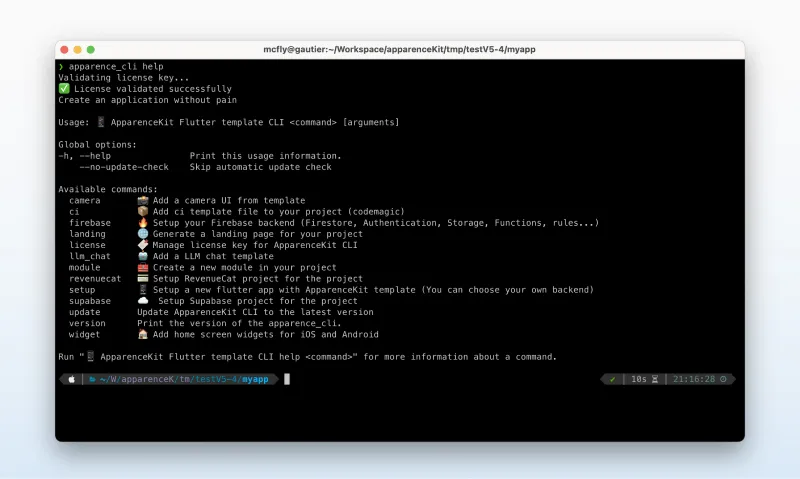
- Generator: a CLI that scaffolds a custom project from modules you pick (ApparenceKit's category)
The buy-or-build decision depends on which one you're considering. A $30 CodeCanyon UI kit and a $400 generator-based boilerplate are not comparable products.
What it costs to build from scratch (the honest version)
Depending on your experience and goals, building from scratch will take you anywhere from days to months.
Learning Flutter or experimenting
If your goal is to learn Flutter, build a quick prototype, or experiment with an idea, building from scratch is a great choice. A boilerplate like ApparenceKit can still save you time and teach you some best practices, but if learning is the goal, start from scratch. You'll understand WHY each pattern matters. Once you have a solid grasp of the basics, you can always migrate to a template for a more serious project later.
Shipping a serious product
If your goal is to ship a real product with real users — not just learn Flutter — and you want to do it right (production-grade architecture, edge cases handled, store-review compliant), building from scratch will likely take you months of full-time work.
There are multiple reasons for this:
- You need a scalable architecture that won't collapse at month 6
- If you work with AI agents (Claude, Cursor), the codebase needs to be AI-friendly — clear patterns, consistent naming, predictable structure
- You need a real test strategy to avoid bugs and regressions as you ship features
- You need to handle the edge cases that come with each module: auth flows, payment errors, push notification edge states
- Your app must comply with Apple and Google store-review guidelines, which are full of edge cases and change without much notice
The hidden cost of vibe-coding from scratch
So you asked Claude or ChatGPT to build a Flutter app with RevenueCat for payments? Great — the code probably looks fine.
But you still need to test every edge case:
- Restore-purchase flow on iOS and Android (often broken in AI-generated code)
- Payment integration with Meta Ads tracking (big source of lost revenue when it breaks)
- The payment flow itself: lock the UI while the server responds, handle network failures
- Coupon codes, trial periods, intro offers, grace periods
- Subscription state changes from App Store webhooks
These are just a few examples of edge cases that are easily missed when building from scratch. AI-generated code typically gets the happy path right and the edge cases wrong — and that's where you lose users and revenue.
Users are hard to acquire, and easy to lose. If your app doesn't work as expected, they churn and leave bad reviews.
The real time savings of buying a template
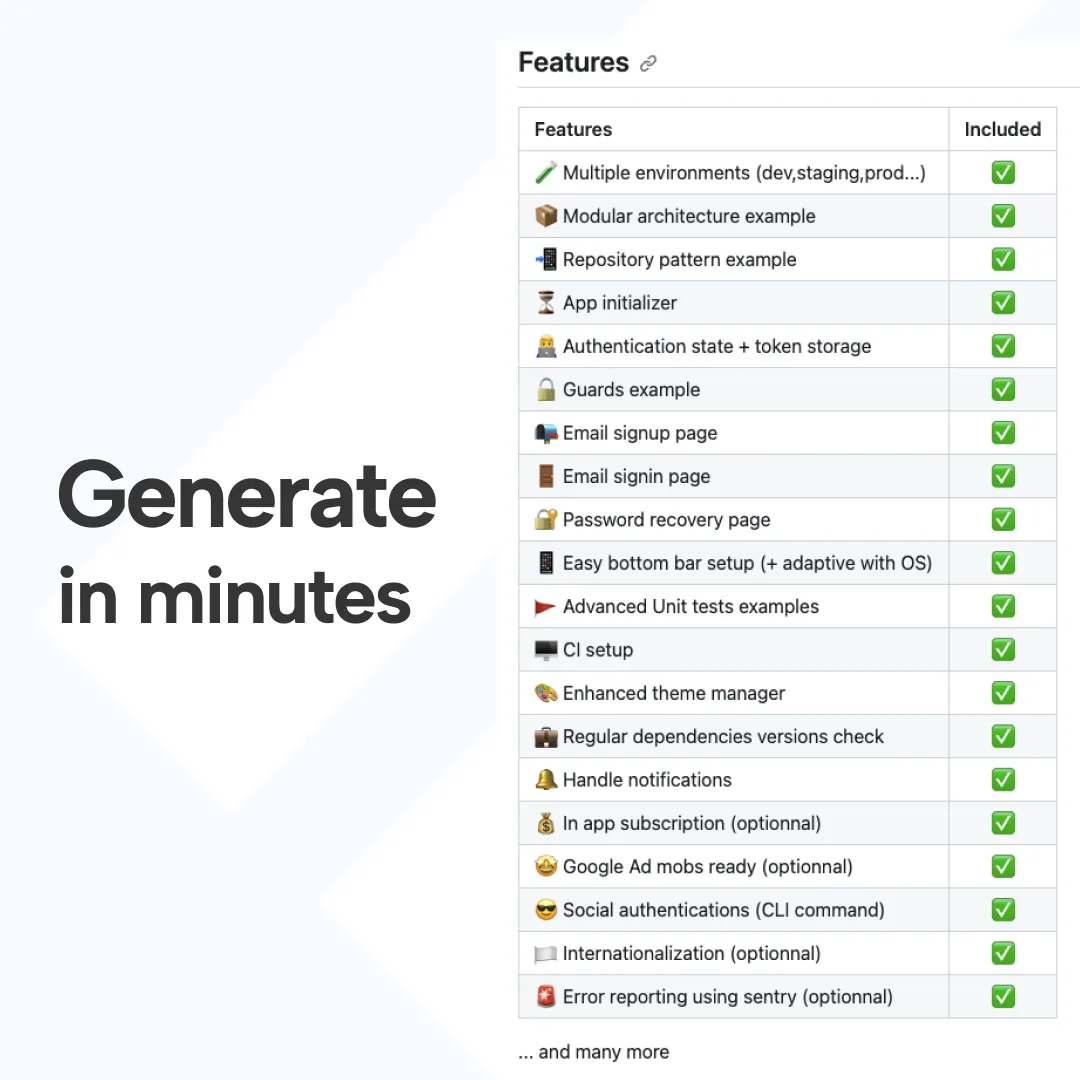
A good template gives you the code, the architecture, and the edge cases already handled. It also brings the patterns and best practices already decided for you — so you can focus on building what makes your app unique.
Here's a rough breakdown of the time you save vs. building from scratch:
- Auth (email + social + phone): 2-4 weeks
- Paywall + RevenueCat integration: 1-3 weeks (plus store debugging)
- Push notifications + FCM: 1-2 weeks
- Onboarding flow with common components and animations: 1 week
- CI/CD (iOS + Android signing, fastlane): 1-2 weeks
- Dark mode + theming system: 1 week
- Analytics + crash reporting: 0.5-1 week
- Meta Ads integration for payments: 1-2 weeks (plus the revenue you don't lose when it works correctly)
- Admin dashboard for user management: 1 week
- Home screen widgets: 1 week
That adds up to roughly 12-20 weeks — 3 to 5 months — of full-time work for a senior Flutter developer. And that's just the build phase. The maintenance burden compounds for years afterward.
What to look for in a Flutter template
Once you decide to buy, the next question is: which one? After 7 years of seeing what works and what doesn't, here's the checklist I'd use:
- Native code in your project, not a library import. You should own every line of code generated. If the template imports as a Pub package, you can't fix bugs or customize behavior — you depend on someone else's release cycle.
- Architecture you can scale. Look for clean separation (data / domain / presentation, or hexagonal, or 3-layer). Avoid templates that mix everything in one folder — they collapse the moment you add real features.
- Tests included, or at least a testable structure. Without tests, every feature you add becomes a potential regression. Without a testable structure, you'll never write tests yourself either.
- Active maintenance. Check the last commit date. If it's older than 6 months, Flutter has probably released breaking changes the template doesn't handle yet.
- Honest pricing. One-time purchase beats subscription for templates. You're buying a starting point, not a service.
- Real documentation. Not just a README, but actual setup guides, troubleshooting notes, and integration walkthroughs.
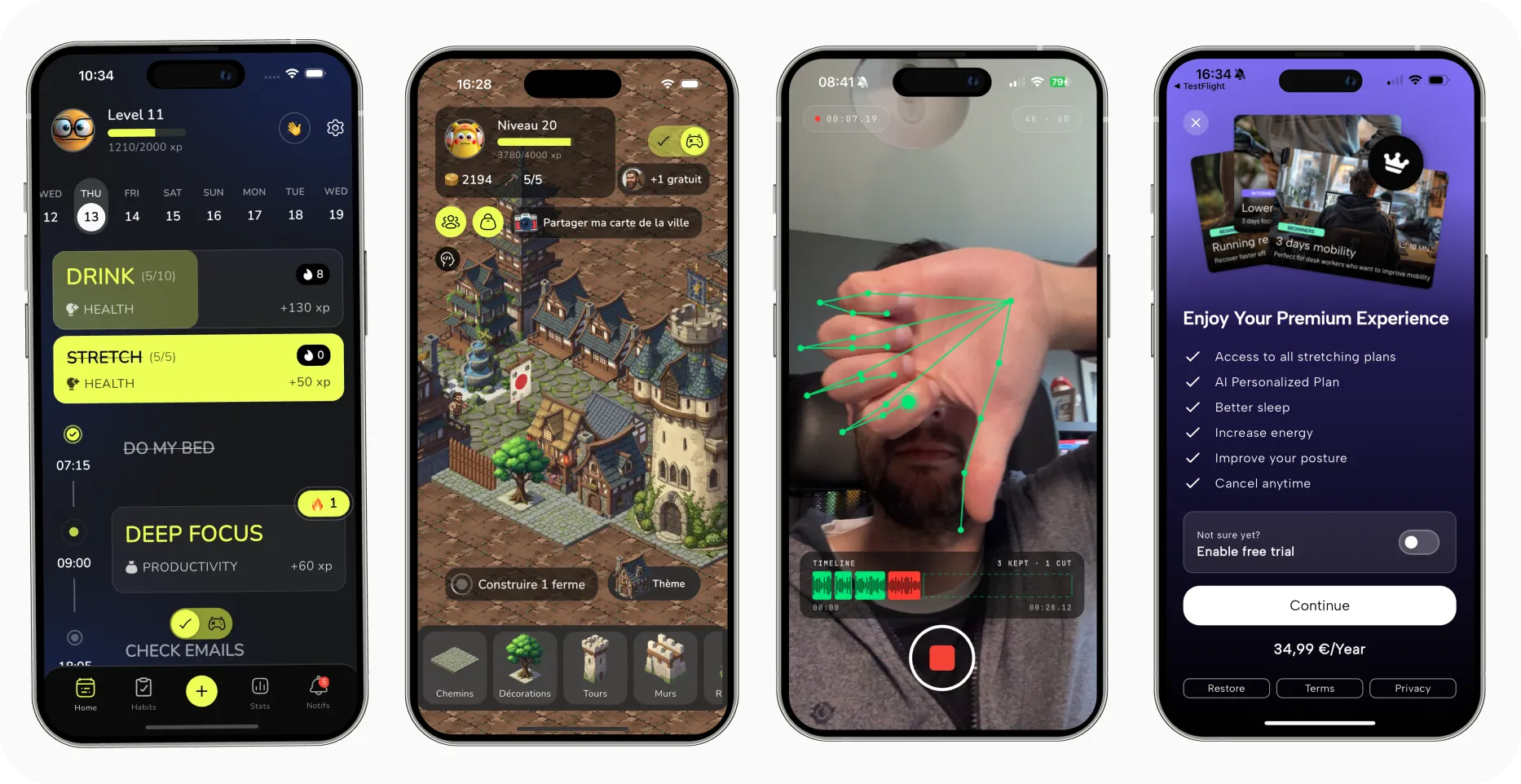
- Visible customer cases. Real apps shipped with this template, not just stock screenshots on the landing page.
Red flags that should make you walk away:
- No commits in the last 12 months — likely abandoned
- Library-import only — you can't modify the code
- No tests, no clear architecture mentioned in the docs
- Subscription pricing with no extra service value
- Marketing pages full of stock images, no real customer apps
The 4 types of Flutter templates (honest pros/cons)
Not every template fits every profile. Here are the 4 categories I see in 2026, with pros and cons honestly stated:
1. Free open-source (GitHub starter repos) Examples: random Flutter starter repos on GitHub, Reddit r/FlutterDev shares.
- Pros: free, you learn from the code, no licensing risk
- Cons: rarely production-ready, often abandoned after a few months, no support, no real architecture
Good for: learning, prototypes, throwaway projects.
2. Paid UI kits (CodeCanyon, Envato) Examples: most CodeCanyon Flutter templates, $20-50 range.
- Pros: cheap, decent visual designs
- Cons: UI only — no backend integration, no payment flows, code quality varies wildly, often dated within 12 months
Good for: design inspiration, one-shot apps with no backend.
3. Generator-based boilerplates (ApparenceKit, SwiftyLaunch) Examples: ApparenceKit ($149-520), SwiftyLaunch.
- Pros: complete stack (auth, payment, push, CI/CD), native code you own, customizable, actively maintained, real support
- Cons: higher upfront price, a learning curve to understand the architecture
Good for: indie devs and agencies shipping real apps with production features.
4. Agency-built private kit (your own) Examples: what we used to do at Apparence.io before publishing ApparenceKit.
- Pros: 100% custom to your workflow
- Cons: $30-100k upfront cost, ongoing maintenance burden, only worth it at high project volume (5+ apps per year)
Good for: established agencies with a clear pattern across many client projects.
Match the category to your profile — there is no universal "best template".
What "saves you X months" actually means
"Saves you 4 months" sounds like marketing fluff. Let me explain what it actually means.
It's not just the code. When you buy a good Flutter template, you also get:
- Pattern decisions already made. Should your business logic live in providers or in repositories? Should your auth state live in Riverpod or in a singleton? Every one of these decisions costs hours when you make it yourself, especially if you change your mind 3 weeks in. A template forces a coherent answer.
- Edge cases pre-debugged. App Store review issues that took us 2-3 review cycles to figure out the first time, now baked into the code. Real-device bugs we hit on a Samsung Galaxy A12 that don't show up on emulators. Store-review patterns Apple changed in 2023.
- Compound maintenance savings. You inherit working patterns, so when Flutter releases a breaking change or Apple updates StoreKit, you spend hours updating, not weeks rewriting.
The "4 months" figure is the average we've measured at Apparence.io for a full feature set (auth + payments + push + onboarding + CI/CD). A junior developer saves more raw time. A senior saves less raw time but ships higher quality. Either way, the savings compound over the lifetime of the app.
My recommendation
Here's the decision tree I'd give a friend asking this question:
- Learning Flutter? → Build from scratch. The build IS the value.
- Have an internal kit at your company already? → Use it. It already knows your conventions.
- Need truly unique architecture (real-time SDK, embedded device sync, etc.)? → Build. And you probably didn't need to read this article.
- No budget at all? → Pick a free OSS template and accept the trade-offs (abandoned code, no support, your time fills the gap).
- Shipping a real product, idea validated, time matters more than $500? → Buy a template.
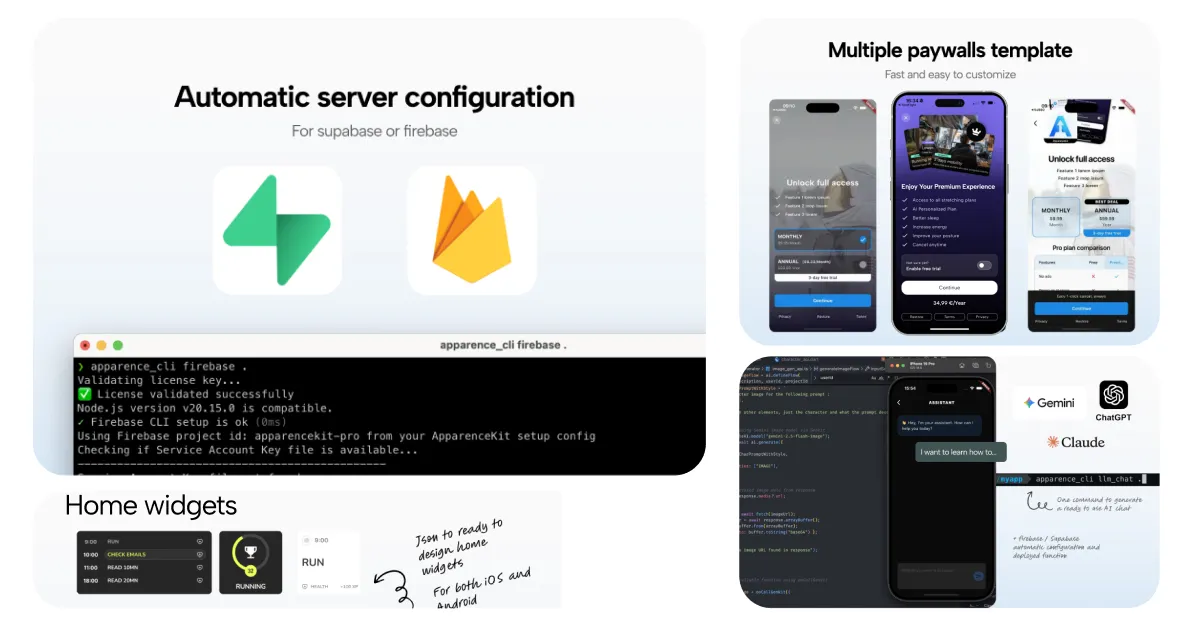
If you fall into case #5, you're the reason I built ApparenceKit. It generates native Flutter code (you own it), ships with auth + payments + push + onboarding + CI/CD ready, and includes battle-tested Claude & Cursor rules so AI agents code in your project the right way. See pricing →
Whatever you choose: ship something.