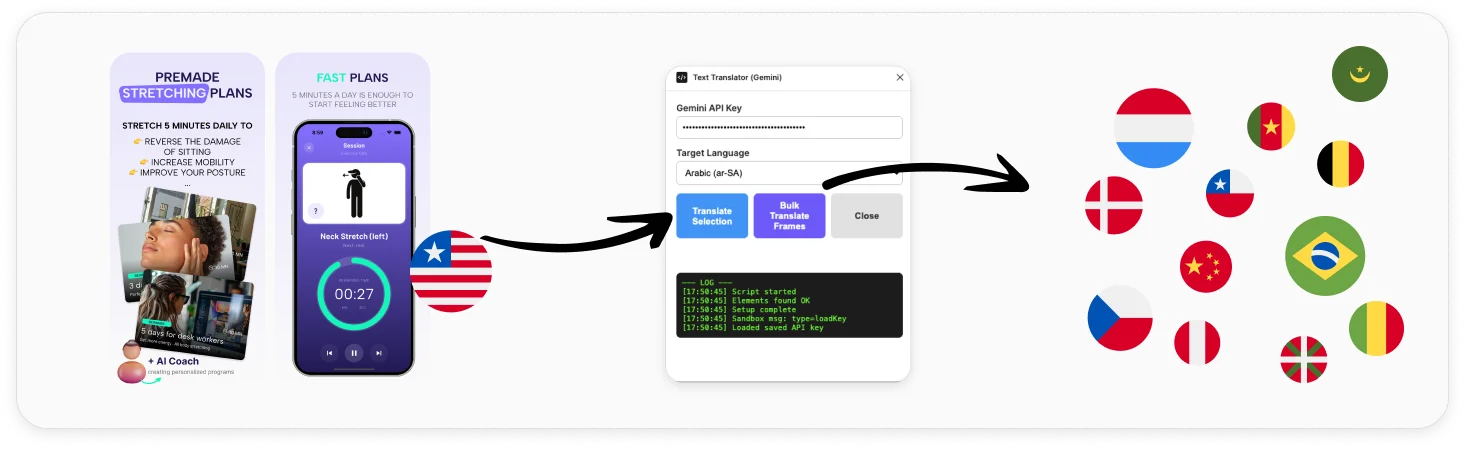
38 languages
Every major App Store and Google Play locale. Pick the target language and the plugin translates every text layer in your selection.
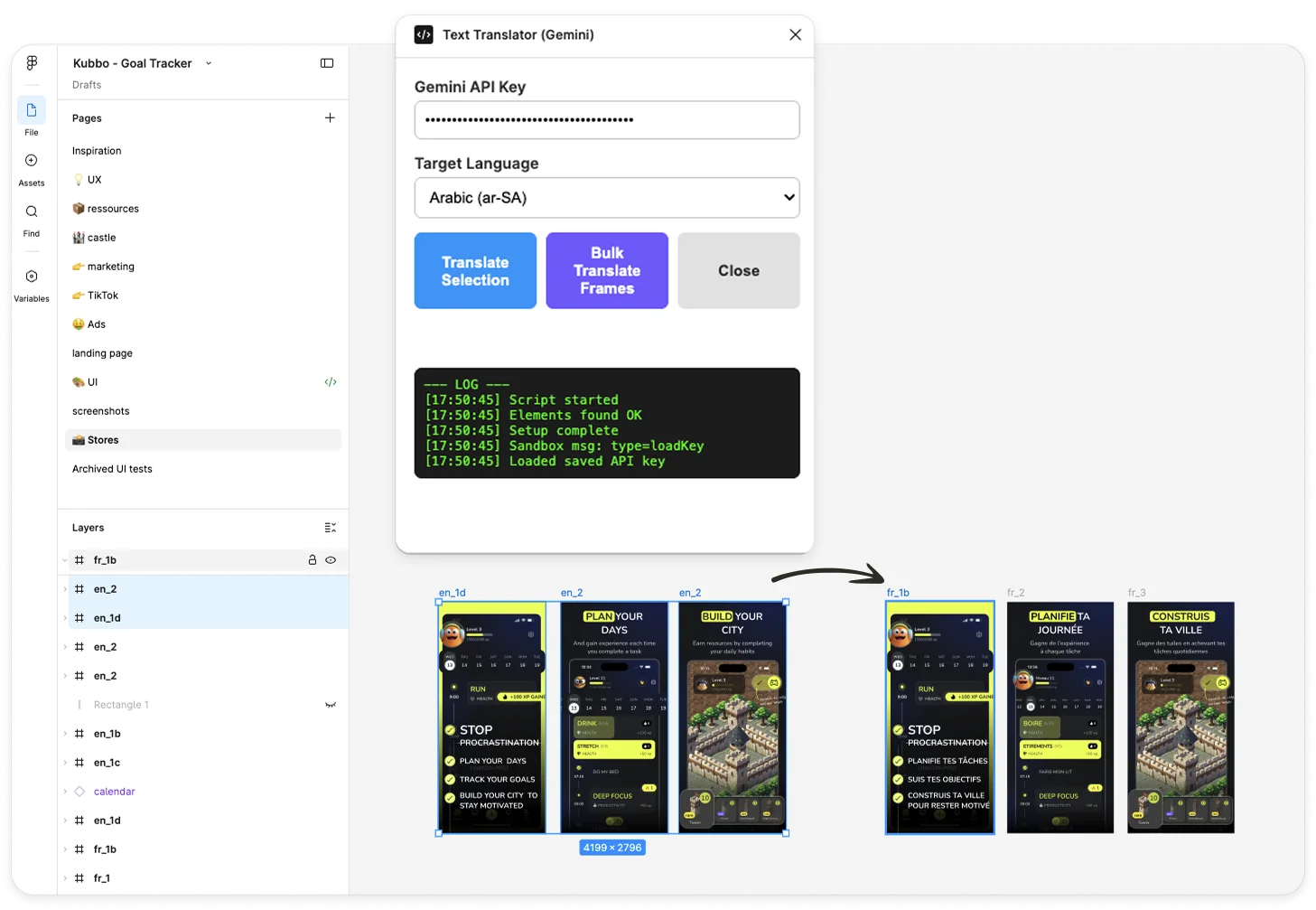
Bulk translate frames
Select multiple frames, hit translate, and the plugin walks every nested text node and renames the frame to fr_1, fr_2… Ready to export.
Your key, your data
Your Gemini API key is stored locally in Figma. Only text strings are sent to Google for translation — nothing else leaves your file.
Install in 3 steps
No build step, no Node setup. Three files (manifest.json, code.js, ui.html) and you're running.
-
1
Download the repo
Grab the ZIP from the GitHub repo (
Code → Download ZIP) and unzip it locally. -
2
Import the manifest into Figma
In Figma desktop:
Plugins → Development → Import plugin from manifest…and pickmanifest.jsonfrom the unzipped folder. -
3
Add your Gemini API key
Get a free key on Google AI Studio, paste it into the plugin's Gemini API Key field, and start translating. The key is stored locally in Figma.
How developers use it
Translate selection
Tweaking a single screen? Select the text layers you want to translate, pick a target language, click. Done.
Bulk translate frames
Shipping in 12 markets? Select all your screenshot frames, pick the language, the plugin clones the strings translated and renames each frame langCode_N so your export pipeline can pick them up automatically.
FAQ
Is this Figma plugin really free? +
Yes. The plugin is fully open source — download it from GitHub, import it into Figma, and use it with your own Gemini API key. Google Gemini also has a free tier so most indie projects translate at zero cost.
How many languages does it support? +
38 languages out of the box, covering every major App Store and Google Play market. You select the target language, click translate, and the plugin handles the rest.
Do I need to upload my screenshots anywhere? +
No. Translation happens directly inside Figma. Your Gemini API key is stored locally in Figma and only the text content is sent to Google's translation endpoint — never your designs.
How does the bulk-translate feature work? +
Select one or more frames, pick a target language, and the plugin walks every text layer inside each frame, translates it, and renames the frame to langCode_N (for example fr_1, fr_2). You go from one source language to all your store locales in seconds.
Is there a paid version? +
No. The plugin is open source on GitHub and stays free. If you ship Flutter apps and want a starter kit that includes paywalls, onboarding and auth, check out ApparenceKit.
Built by an indie shipping Flutter apps
This plugin came out of localizing my own apps. If you're shipping a Flutter app and want a starter kit with paywalls, onboarding, auth and analytics already wired in, take a look at ApparenceKit.


