10-day money-back guarantee
Production-ready Flutter Firebase boilerplate with auto-setup CLI
Skip weeks of Firebase configuration. Our CLI automatically sets up Firebase Authentication, Firestore, Cloud Messaging, and Analytics in one command.

450+ developers and companies
Don’t waste your time and money reinventing the wheel
After making apps for 6+ years.
We give you all you need to be productive on day 1

AUTOMATIC SETUP
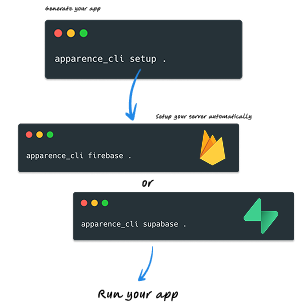
We configure everything for you
From app to server configuration. We take care of everything so you can focus on building your app in 5 minutes.
Supabase
automatically setup (security, database, authentication...)
Firebase
automatically setup (security, database, authentication...)
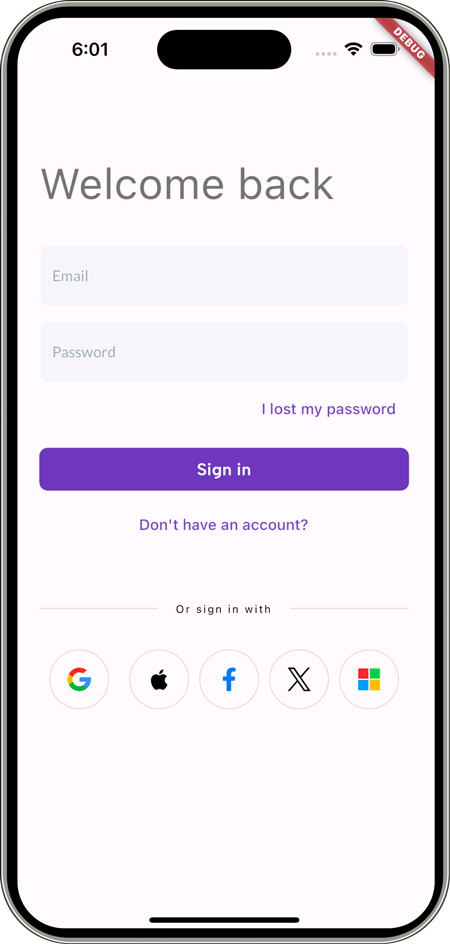
FIREBASE AUTHENTICATION
Production-ready Firebase Auth in minutes

Complete Firebase Authentication implementation with all auth methods pre-configured. No setup headaches.
Email & Password Auth
Firebase email authentication with email verification, password reset, and secure token management built-in.
Social Logins
Google Sign-In, Apple Sign-In, Facebook, and Twitter authentication pre-integrated with Firebase.
Phone Authentication
Firebase phone auth with SMS verification ready to use on iOS and Android.
Auth UI Templates
Login, signup, forgot password, and profile screens fully connected to Firebase Auth.
FIREBASE FIRESTORE
Real-time database architecture
Clean Firestore data layer with offline support, real-time listeners, and type-safe models.
Repository Pattern
Clean architecture with Firestore repositories, making your code testable and maintainable.
Offline Support
Firestore offline persistence configured for seamless offline-first experience.
Real-time Updates
Stream-based data fetching with automatic UI updates when Firestore data changes.
Security Rules
Production-ready Firestore security rules templates included in the boilerplate.
FIREBASE CLOUD MESSAGING
Push notifications that work
Firebase Cloud Messaging fully integrated with local notification handling and background processing.
FCM Setup
Firebase Cloud Messaging configured for iOS (APNs) and Android with all certificates handled.
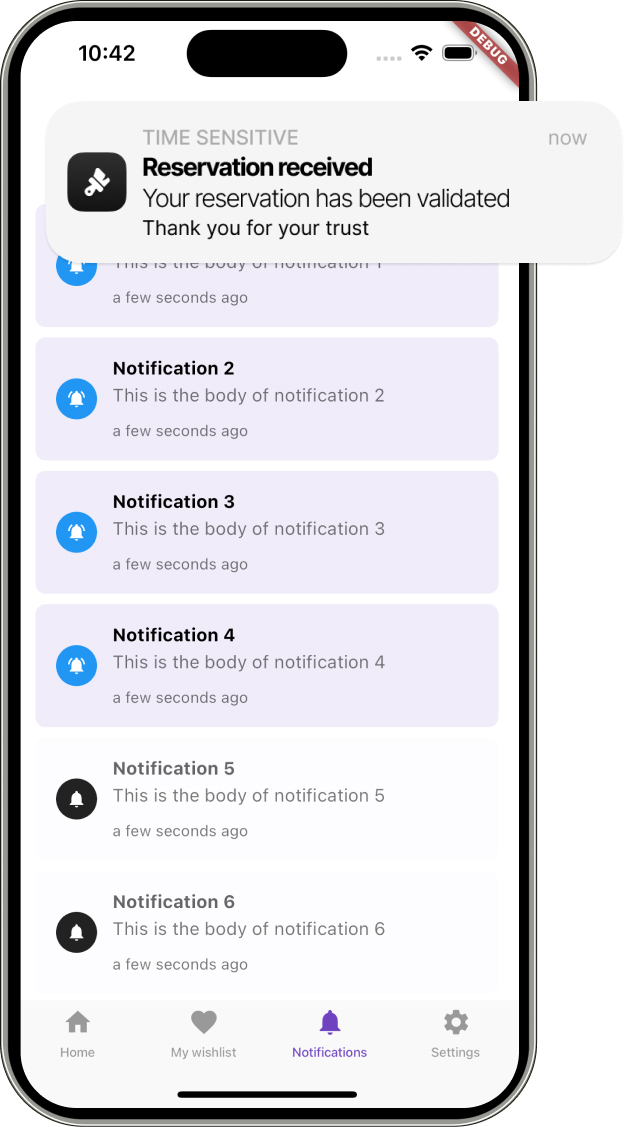
Notification Center
In-app notification list with read/unread status stored in Firestore.
Background Handler
Handle FCM messages when app is in background or terminated. Open deep links automatically.
Send from Dashboard
Admin dashboard to send targeted push notifications to users or segments via Firebase.
MONETIZATION
Start making money from day one
In-app subscriptions and purchases working with RevenueCat + Firebase integration.
RevenueCat Integration
RevenueCat SDK integrated with Firebase Analytics for attribution and revenue tracking.
Subscription Management
Check subscription status, sync with Firestore, and gate premium features easily.
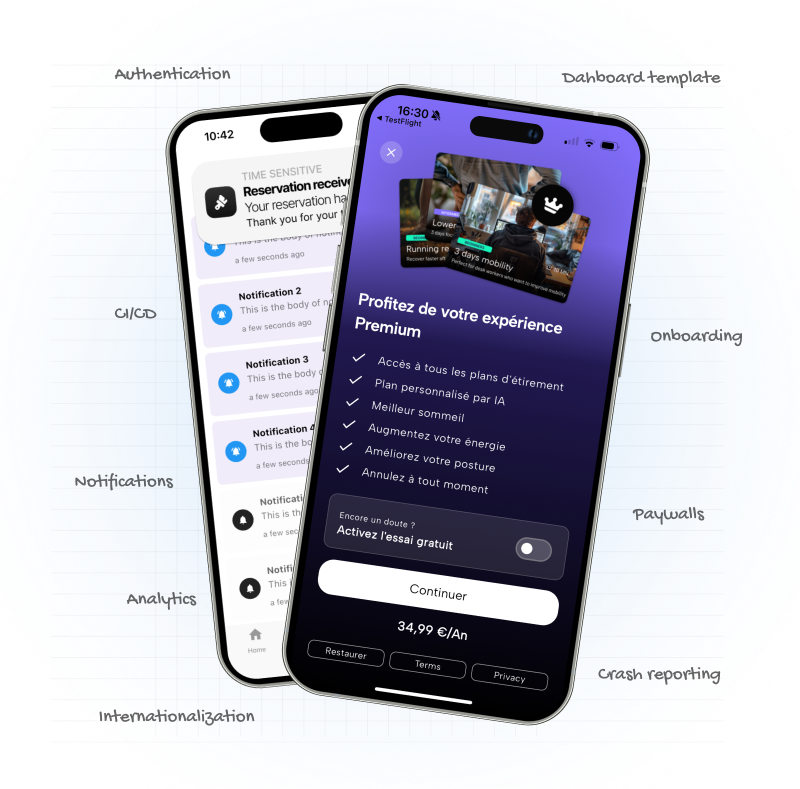
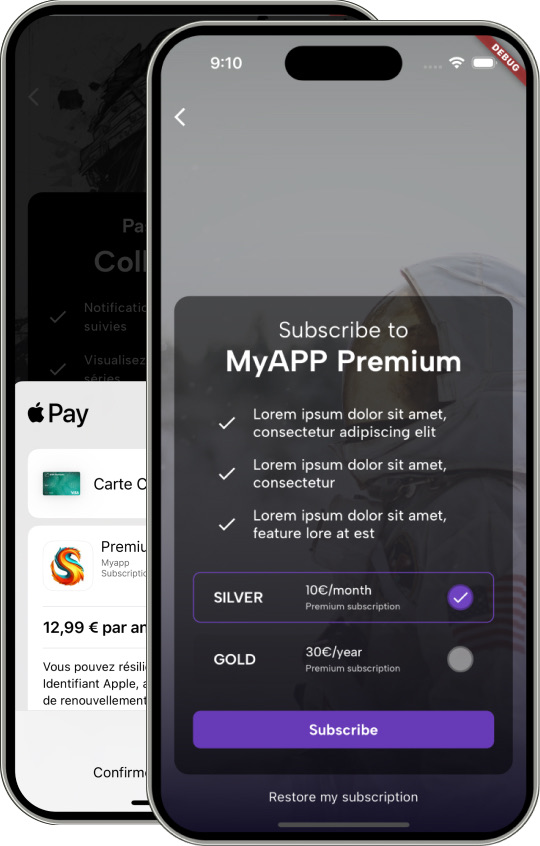
Paywall Templates
Multiple paywall UI templates optimized for conversion. A/B test with Firebase Remote Config.
Cross-platform
iOS App Store and Google Play Store subscriptions unified through RevenueCat.
Trusted by developers and companies
Check what they says
ANALYTICS
Understand your users
Sentry + Mixpanel ready to use for crash reporting and user analytics.
Mixpanel
Custom event tracking wrapper for Mixpanel with type-safe event logging.
Sentry
Sentry configured to catch crashes and exceptions automatically.
Remote Config
Firebase Remote Config ready to use for feature flags and A/B testing.
Performance
Performance Monitoring to track app startup time and network requests.
CLEAN ARCHITECTURE
Enterprise-grade code structure
Scalable architecture with separation of concerns. Your Firebase code stays maintainable as you grow.
100% Unit Tested
All Firebase data sources mocked and tested. Learn how to test Firebase code properly.
Riverpod State Management
Firebase streams integrated with Riverpod providers for reactive UI updates.
Layered Architecture
Presentation, Domain, and Data layers. Firebase logic isolated in data layer only.
CI/CD Templates
GitHub Actions, GitLab CI, and Codemagic configs to deploy to Firebase Hosting and App Distribution.
How it works
1
Install the CLI
Run one command to install our command line tool2
Auto-configure Firebase
Our CLI automatically creates your Firebase project, enables services (Auth, Firestore, FCM, Analytics), and configures your Flutter app with all the credentials3
Run and customize
Your Flutter Firebase app is ready to run. Customize the UI, add your business logic, and shipSetup your project in 10 seconds

Using our CLI, you can create a new project in 10 seconds.
Choose between standard backend, Firebase and Supabase
Pricing
From Idea to App Store in One Week
10 days money back guarantee
No questions asked
Solo
$149
run 1 app generation + server setup
- 1 limited licence
-
1 app generation
-
Single time payment
-
iOS, Android & Web support
-
Authentication
-
Onboarding flow
-
Push notifications
-
RevenueCat subscriptions
-
Multiple paywall templates
-
Analytics & error tracking
-
Meta ads integration⚡ NEW
-
Dark mode & theming
-
CI/CD templates
-
One Automatic firebase/supabase setup⚡ NEW
-
Discord community access
POPULAR
Professional
$299
/year
1 developer - unlimited usage
- 1 developer licence
-
Everything in Solo plan plus
-
Unlimited app generation
-
Cancel anytime
-
Landing page template⚡ NEW
-
AI chat template⚡ NEW
-
Unlimited automatic firebase/supabase setup⚡ NEW
Agency
$799
/year
5 developers + live setup assistance
- 5 developers licences
-
Everything in Professional plan plus
-
Cancel anytime
-
Live setup assistance call
-
Supabase web dashboard
-
Priority support via Discord
👋 Need a developer to build your Firebase app?
We can help you
Enjoy your purchase with complete peace of mind
10 days guarantee for all purchases.
No questions asked.
No questions asked.
Six years ago, I co-established a leading Flutter agency in France, earning recognition as a trusted Flutter consulting firm.
After years of doing those repetitive tasks, I decided to create a tool that would help me and my team.
On average apps shares 30% of their codebase, and I wanted to make it easier for developers to build apps faster.
Today, I take great pride in sharing it with you.
So you can build your app faster and focus on what matters most: your users
After years of doing those repetitive tasks, I decided to create a tool that would help me and my team.
On average apps shares 30% of their codebase, and I wanted to make it easier for developers to build apps faster.
Today, I take great pride in sharing it with you.
So you can build your app faster and focus on what matters most: your users
Frequently Asked Questions
Creating an app is easy.
Creating a successful app is not.
- Our CLI tool connects to your Firebase account, creates a new project (or uses existing), enables required services (Authentication, Firestore, Cloud Messaging, Analytics, Crashlytics), downloads the configuration files (google-services.json and GoogleService-Info.plist), and injects them into your Flutter project. All in one command.
- Yes, you'll need a free Firebase account. The CLI will guide you through the setup. Firebase has a generous free tier that's enough for most apps in development and early production.
- Firebase Authentication (email, social, phone), Firestore database, Storage, Cloud Messaging (push notifications), Analytics, Sentry, Remote Config... and even AI chat template (not for all plans)
- Absolutely. This boilerplate is production-ready with proper error handling, security rules, offline support, and testing. Many companies use it for their production Flutter + Firebase apps.
- Depends on your license. Solo license allows one app, Agency license allows unlimited apps. Each app gets its own Firebase project.
- Yes, complete documentation covering Firebase Authentication setup, Firestore data modeling, FCM push notifications, security rules, testing strategies, and deployment to Firebase Hosting.
- Yes, 10-day money-back guarantee. If the Firebase boilerplate doesn't meet your needs, just reach out on Discord or Crisp chat.
- The clean architecture makes this possible. The Firebase implementation is isolated in the data layer. You can generate a new project with Supabase configuration instead, or migrate by swapping the data sources.