This article shows you a super efficient way to handle your iOS app releases. Imagine building, deploying, and submitting your Flutter app for review on the Apple App Store, all with just one command! Thanks to Fastlane, this is not just a dream, but a reality for developers like you.
What is Fastlane?
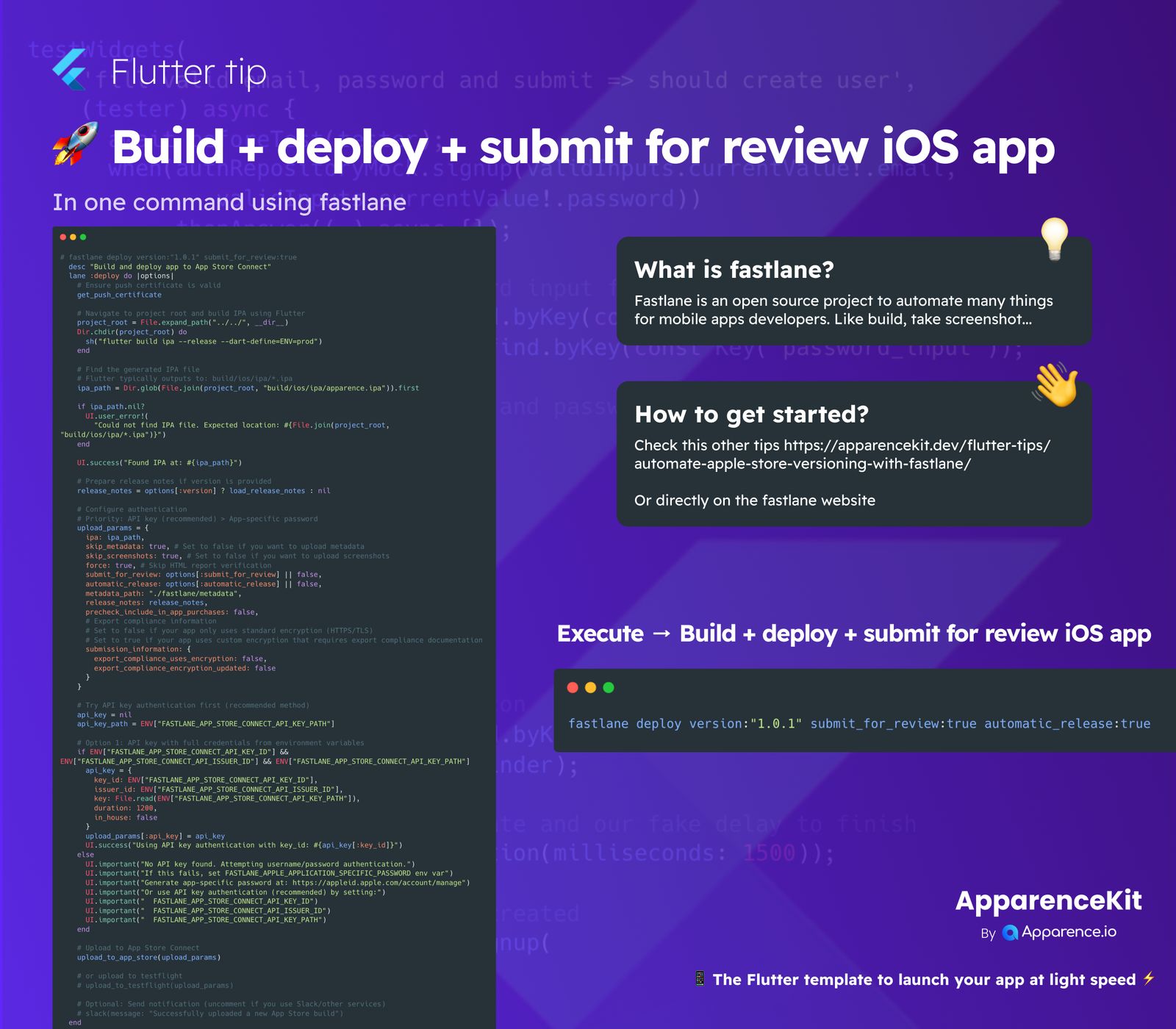
Fastlane is an amazing open-source toolkit designed to automate many common tasks for mobile app developers. Think of it as your personal assistant for app releases. It can help with things like building your app, taking screenshots, managing certificates, and, most importantly, streamlining your entire deployment process for both iOS and Android.
Why use Fastlane?
It saves you a lot of time and reduces the chance of manual errors. Instead of going through many steps by hand, Fastlane lets you automate them.
How to Get Started with Fastlane
If you're new to Fastlane, you can find great resources online. A good starting point would be checking out articles or guides specifically on automating Apple Store versioning with Fastlane. You can also visit the official Fastlane website for detailed documentation and setup instructions.
Essential Fastlane Setup
To get your Flutter iOS app ready for this one-command deployment, you'll typically need to configure a few things:
Ensure Push Certificates
Make sure your push certificates are valid. Fastlane can assist you in managing these.
Locate Your IPA File
The fastlane script will build your Flutter project and automatically find the generated .ipa file.
Prepare Release Notes
Have your app's release notes ready. These are important for the App Store submission.
Configure API Key Authentication
For a secure and smooth upload process, using App Store Connect API Key authentication is recommended. This involves setting up details like your Key ID, Issuer ID, and providing the path to your API key file.
Execute Your One-Command Deployment
Once everything is set up, deploying your app is incredibly simple. You just run a single Fastlane command in your terminal:
fastlane deploy version:"1.0.1" submit_for_review:true automatic_release:trueThis command tells Fastlane to:
What the Command Does
deploy: Initiates the deployment process.version:"1.0.1": Specifies the app version (note: versioning can also be handled dynamically by Fastlane or other scripts).submit_for_review:true: Automatically submits your app to Apple for review after it's deployed.automatic_release:true: Ensures the app is automatically released to the App Store once Apple approves it.
This streamlined process makes releasing your iOS app a breeze, helping you launch updates faster and with less hassle.