Date, time, and timezone management can often lead to tricky errors in applications. It's crucial to understand how different approaches to working with time can affect your results, even for seemingly simple tasks like adding a day.
Two Ways to Add a Day in Flutter
You might think adding a day is straightforward, but there are two common ways to do it, and they don't always give the same answer. Let's look at them.
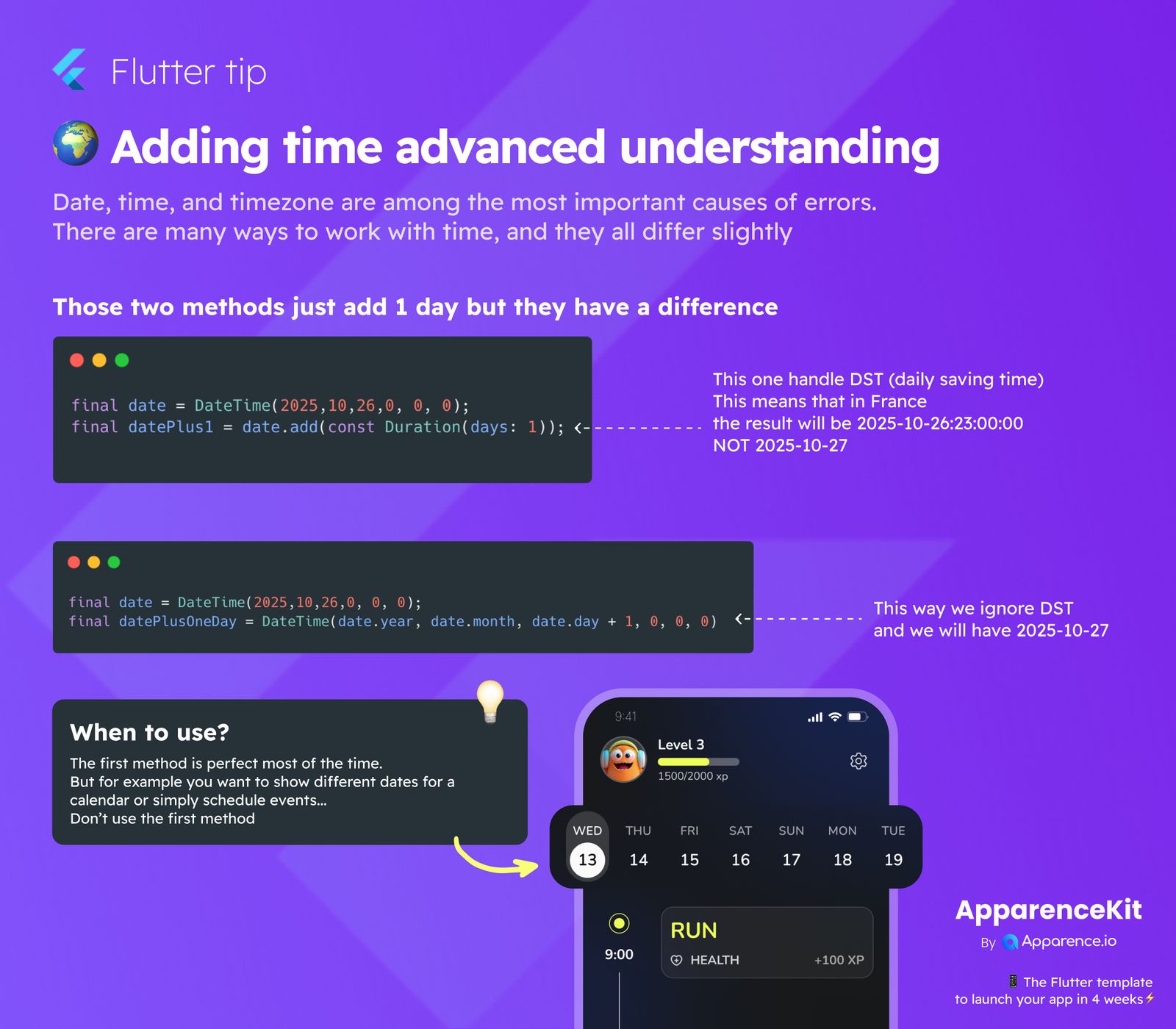
Method 1: Using date.add(const Duration(days: 1))
final date = DateTime(2025,10,26,0,0,0);
final datePlus1 = date.add(const Duration(days: 1));
This method adds exactly 24 hours to your DateTime object. While this seems logical, it's important to know that it handles Daylight Saving Time (DST). This means if the 24-hour period crosses a DST change, the resulting calendar date might not be what you expect if you only care about the day.
For example, in a region like France where clocks fall back an hour on October 27th, 2025, adding 24 hours to 2025-10-26 00:00:00 will result in 2025-10-26 23:00:00, not 2025-10-27 00:00:00. This happens because the actual duration between midnight on the 26th and midnight on the 27th is 25 hours due to the clock change.
Method 2: Manually Incrementing the Day
final date = DateTime(2025,10,26,0,0,0);
final datePlusOneDay = DateTime(date.year, date.month, date.day + 1, 0, 0, 0);
This approach builds a new DateTime object by simply incrementing the day component by one, while keeping the time at 00:00:00. This way, we ignore DST effects on the calendar date. For 2025-10-26 00:00:00, this method will reliably give you 2025-10-27 00:00:00.
When to Use Which Method?
Choosing the right method depends on your specific needs.
When to use date.add(const Duration(days: 1))
This first method is usually perfect when you need to add a precise duration (e.g., 24 hours) regardless of calendar days or DST. It's great for calculations where exact time intervals are critical.
When to use DateTime(date.year, date.month, date.day + 1, ...)
If your goal is to display dates in a calendar, schedule events on distinct days, or anything that relies on moving to the next calendar day at a consistent time (like midnight), then the second method is what you need. For these cases, don't use the first method as it might unexpectedly shift your day backward or forward due to DST, causing scheduling errors or incorrect calendar displays.
Think about a calendar app: if you click to move to the 'next day', you expect to see the next calendar day, not potentially the same day but 23 hours later because of a DST transition.