Slow Animations in Flutter

Flutter tips Published on

Why Animations Can Be Tricky

Animations are often a key part of a great user experience, but they can be tricky to get just right. To truly improve them, it's often helpful to slow them down. This lets you observe every tiny detail and step in the animation sequence, making it easier to pinpoint areas for enhancement.

Debugging Flutter Animations with Ease

Flutter offers a simple way to slow down animations using the Flutter Inspector in VSCode.

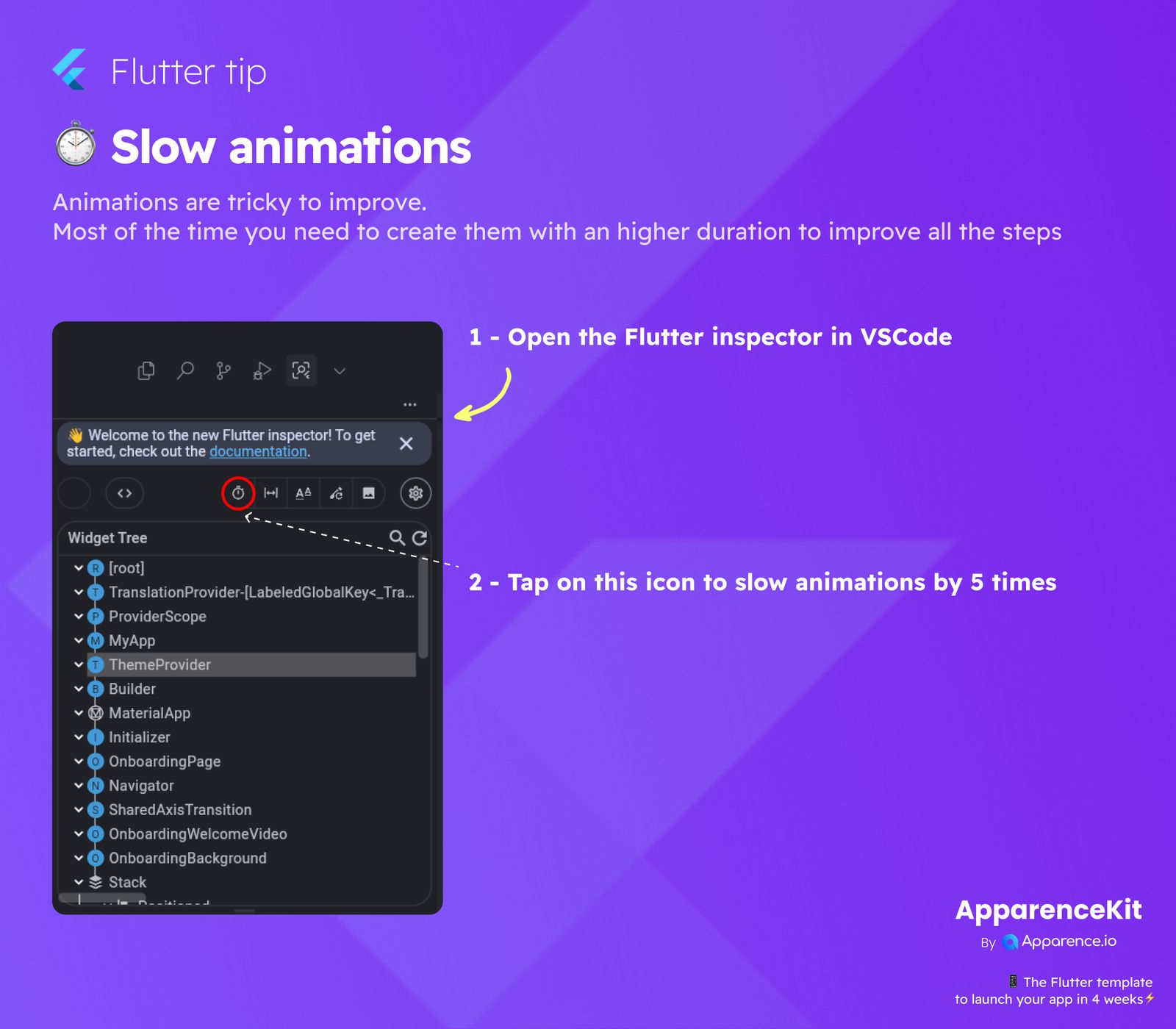
Step 1: Open the Flutter Inspector in VSCode

First, make sure your Flutter app is running. Then, navigate to the Flutter Inspector within your VSCode environment. This tool is essential for inspecting your widget tree and debugging UI-related issues.

Step 2: Activate Slow Animations

Once the Flutter Inspector is open, look for a specific icon in the toolbar. This icon looks like a stopwatch. When you tap it, your app's animations will run at 1/5th of their normal speed.

What Happens When You Tap?

Tapping this stopwatch icon will immediately apply a 5x slowdown to all active animations. This gives you a clear, frame-by-frame view of how your animations are progressing, allowing you to catch subtle issues and improve the overall smoothness and timing.

Save 3 months of work

Create your app using our 6 years of making Flutter apps and more than 50+ apps

kickstarter for flutter apps

Frequently Asked Questions

Why should I slow down animations?

Slowing down animations helps you see each step clearly. This makes it easier to find and fix issues, making your animations smoother and more polished.

How much do animations slow down?

Tapping the stopwatch icon in the Flutter Inspector slows down animations by 5 times their normal speed.

Where can I find the Flutter Inspector?

The Flutter Inspector is available within your development environment like VSCode or Android Studio when you are running a Flutter application.

Is this feature only for debugging?

Yes, this feature is primarily a debugging tool to help developers observe and refine animation behavior more precisely during development.

Will this change my app's animation speed permanently?

No, this is a temporary debugging feature that only affects your app during development when the Flutter Inspector is active and the icon is toggled. It does not change your app's production animation speeds.

Read more
You may also be interested in
Adding Time Advanced Understanding  blog card image
Adding Time Advanced Understanding
Published on 2025-11-28T16:56:43.069Z
Supabase Query Cheat Sheet  blog card image
Supabase Query Cheat Sheet
Published on 2025-11-28T16:54:37.459Z
ApparenceKit is a flutter template generator tool by Apparence.io © 2025.
All rights reserved