Animate Your Text Styles Easily in Flutter
Making your text styles animate smoothly in Flutter is simpler than you might think! This quick guide will show you how to add dynamic flair to your app's text with minimal effort.
What are Implicit Animations?
Implicit animations are a handy feature in Flutter. They allow widgets to automatically animate changes to their properties. When a certain property is updated, the widget handles the smooth transition from the old value to the new one all by itself.
Using AnimatedDefaultTextStyle
To animate text styles, Flutter provides the AnimatedDefaultTextStyle widget. It's specifically designed to smoothly transition between different text styles.
How it Works
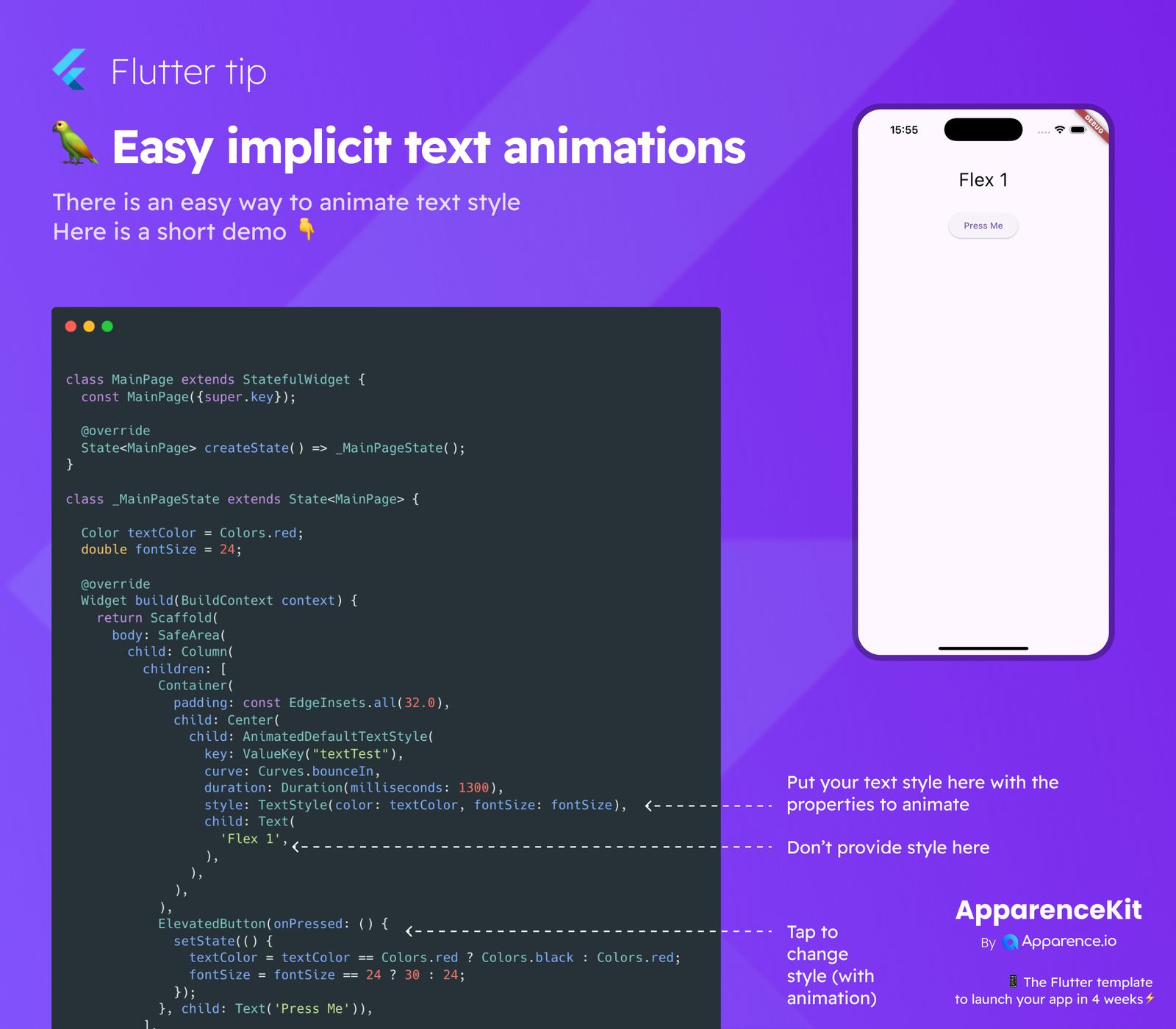
You wrap your regular Text widget inside an AnimatedDefaultTextStyle widget. Here's what you'll typically provide:
curve: This defines the speed pattern of the animation. For example,Curves.bounceIngives a bouncy start.duration: This sets how long the animation takes to complete. You can set it usingDuration(milliseconds: 1300)for a 1.3-second animation.style: This is where you pass theTextStyleyou want the animation to transition to. Make sure not to set astyledirectly on the childTextwidget, asAnimatedDefaultTextStylemanages it.child: This is your actualTextwidget displaying the text.
Triggering the Animation
To start the animation, you just need to update the textColor or fontSize variables (or any other style property) inside a setState call. The AnimatedDefaultTextStyle widget automatically detects these changes and animates the text to its new style. For instance, tapping a button can toggle the text color from red to black and change its size dynamically.
This simple approach makes it much easier to create interactive and visually appealing user interfaces in your Flutter applications!