Making your Flutter app speak many languages is key to reaching a wider audience. This guide helps you set up clear rules for translations using the Slang package, and even shows you how to instruct AI tools like Claude to understand your localization workflow.
Understanding Slang Translations
Slang is a powerful package that helps you manage all the text in your app, making it easy to translate.
File Structure
To keep your translation files organized, follow this structure:
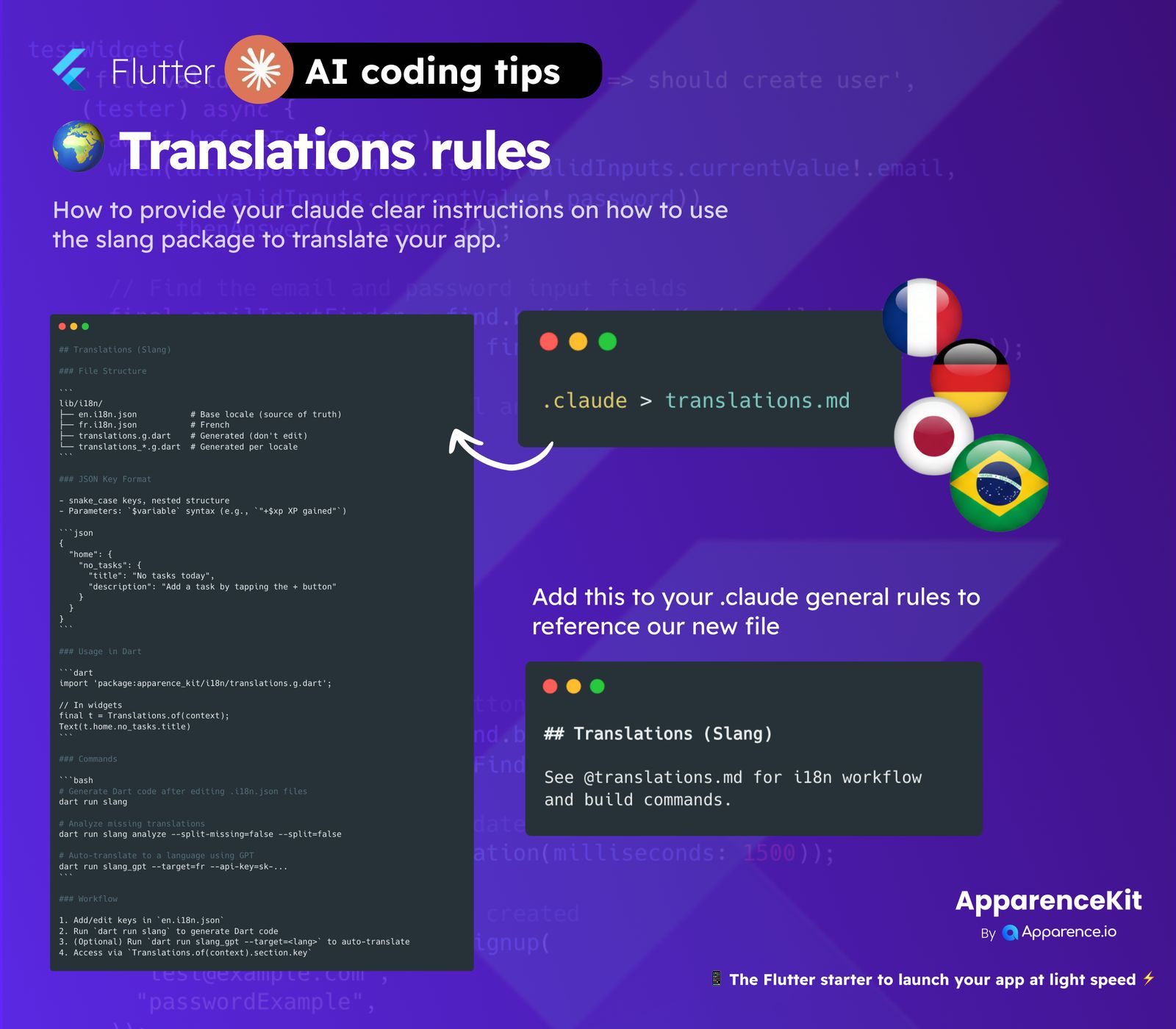
lib/i18n/en.i18n.json(This is your main language file, the source of truth)fr.i18n.json(Example for French translations)translations.g.dart(This file is automatically created and should not be edited by hand)translations_*.g.dart(These are also automatically created for each language locale)
JSON Key Format
When you create your translation keys in the .json files, use snake_case for clarity. You can also have nested structures. For parts of text that change, use the $ variable syntax, like "$xp gained".
{
  "home": {
    "no_tasks": {
      "title": "No tasks today",
      "description": "Add a task by tapping the + button"
    }
  }
}
Usage In Dart
Once your translation files are set up and generated, using them in your Flutter code is simple. First, import the generated file:
import 'package:apparence_kit/i18n/translations.g.dart';Then, in your widgets, you can access your translated text like this:
final t = Translations.of(context);
Text(t.home.no_tasks.title);
Slang Commands
Here are some helpful commands to manage your translations:
Generate Dart code
After you've made changes to your .i18n.json files, run this command to update your Dart code:
dart run slangAnalyze missing translations
To find any missing translations across your language files, use:
dart run slang analyze --split-missing=false --split=falseAuto-translate using GPT
If you want to quickly translate your app into another language using an AI, you can use:
dart run slang gpt --target=fr --api-key=sk-...Translation Workflow
Here’s a quick summary of the steps to manage your app's translations:
- Add or edit new translation keys in your primary
en.i18n.jsonfile. - Run
dart run slangto generate the necessary Dart code. - (Optional) Use
dart run slang gpt --target=<lang>to automatically translate your text to other languages. - Access your translations in your code using
Translations.of(context).section.key.
Integrating with AI (Claude)
To help AI tools like Claude understand your translation rules and workflow, you can point it to a special markdown file, translations.md. This file should contain all the details of your i18n setup.
First, make sure Claude knows to look at your translation rules:
.claude > translations.md
Then, within your .claude general rules, you can add a clear reference to your translation document:
## Translations (Slang)
See @translations.md for i18n workflow and build commands.
This way, Claude can easily find and understand how your app handles different languages.