What is the Flutter Widget Previewer?
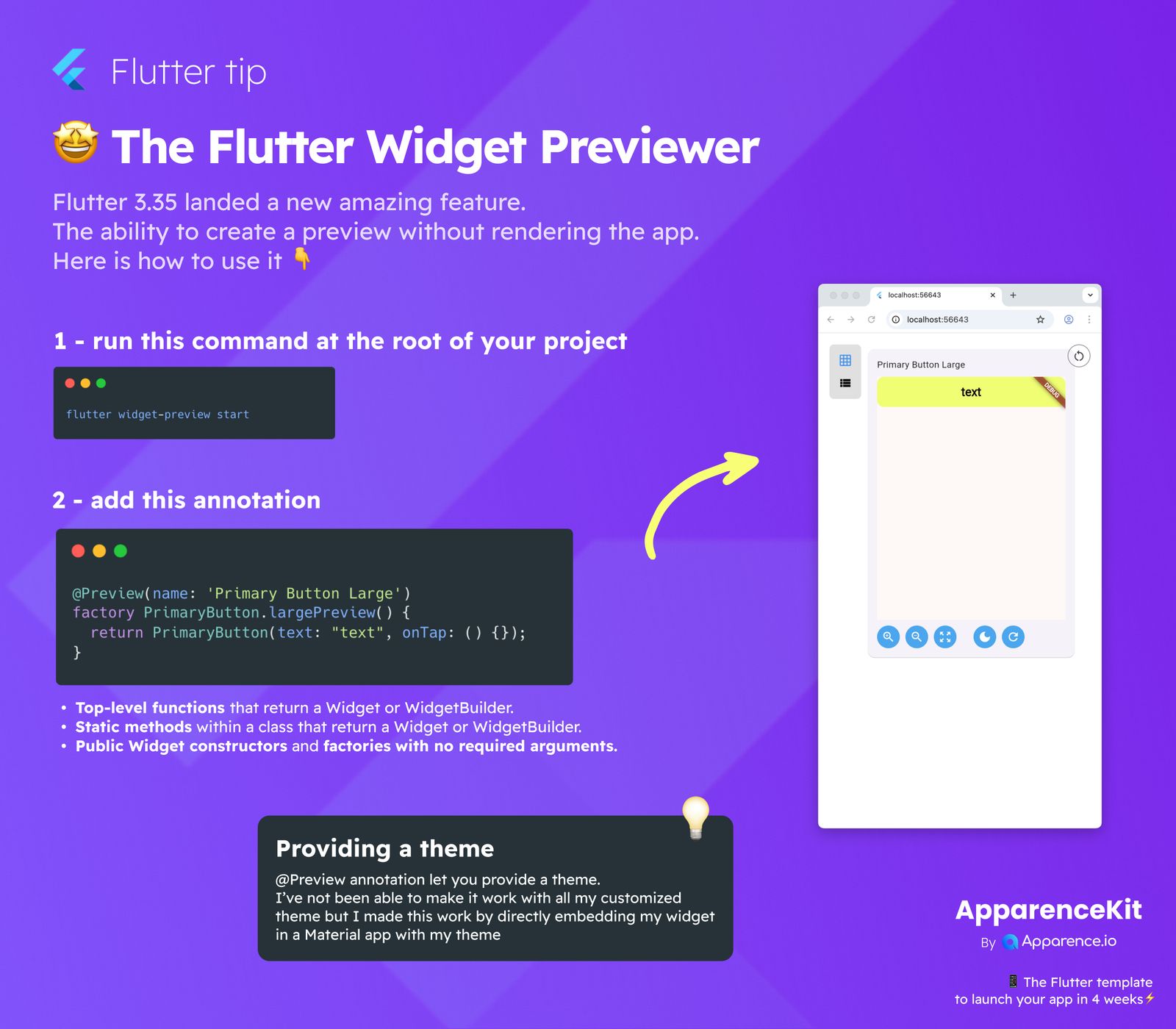
Flutter 3.35 brought us a fantastic new tool: the Widget Previewer! This feature lets you see how your widgets look and behave without needing to run your entire application. It's a huge time-saver for developers. Ready to give it a try? Here's how to use it.
Getting Started with the Widget Previewer
Step 1: Run the Command
First, open your terminal and navigate to the root of your Flutter project. Then, run this simple command:
flutter widget-preview startThis command kicks off the preview server, allowing you to see your widgets in action.
Step 2: Add the Annotation
Next, you need to tell Flutter which widget you want to preview. You do this by adding a special annotation, @Preview, to your widget's factory method or function. Look at this example:
(name: 'Primary Button Large')
factory PrimaryButton.largePreview() {
return PrimaryButton(text: "text", onTap: () {});
}What You Can Preview
The @Preview annotation works with a few specific types of code:
- Top-level functions that return a
WidgetorWidgetBuilder. - Static methods within a class that return a
WidgetorWidgetBuilder. - Public
Widgetconstructors and factories that don't need any arguments.
Providing a Theme
The @Preview annotation also allows you to include a theme. While it might not work perfectly with all custom themes right away, a great workaround is to directly embed your widget inside a MaterialApp with your chosen theme. This ensures your widget looks just right in the preview.