How to Get the Native Device Timezone in Flutter
Getting the correct device timezone is super important for many apps. It helps make sure your app shows the right time, especially when dealing with users in different parts of the world. Here’s how you can do it accurately in Flutter.
Using the flutter_timezone Package
To get the native device timezone, you'll need the flutter_timezone package. This package lets you access the timezone information directly from the device's operating system.
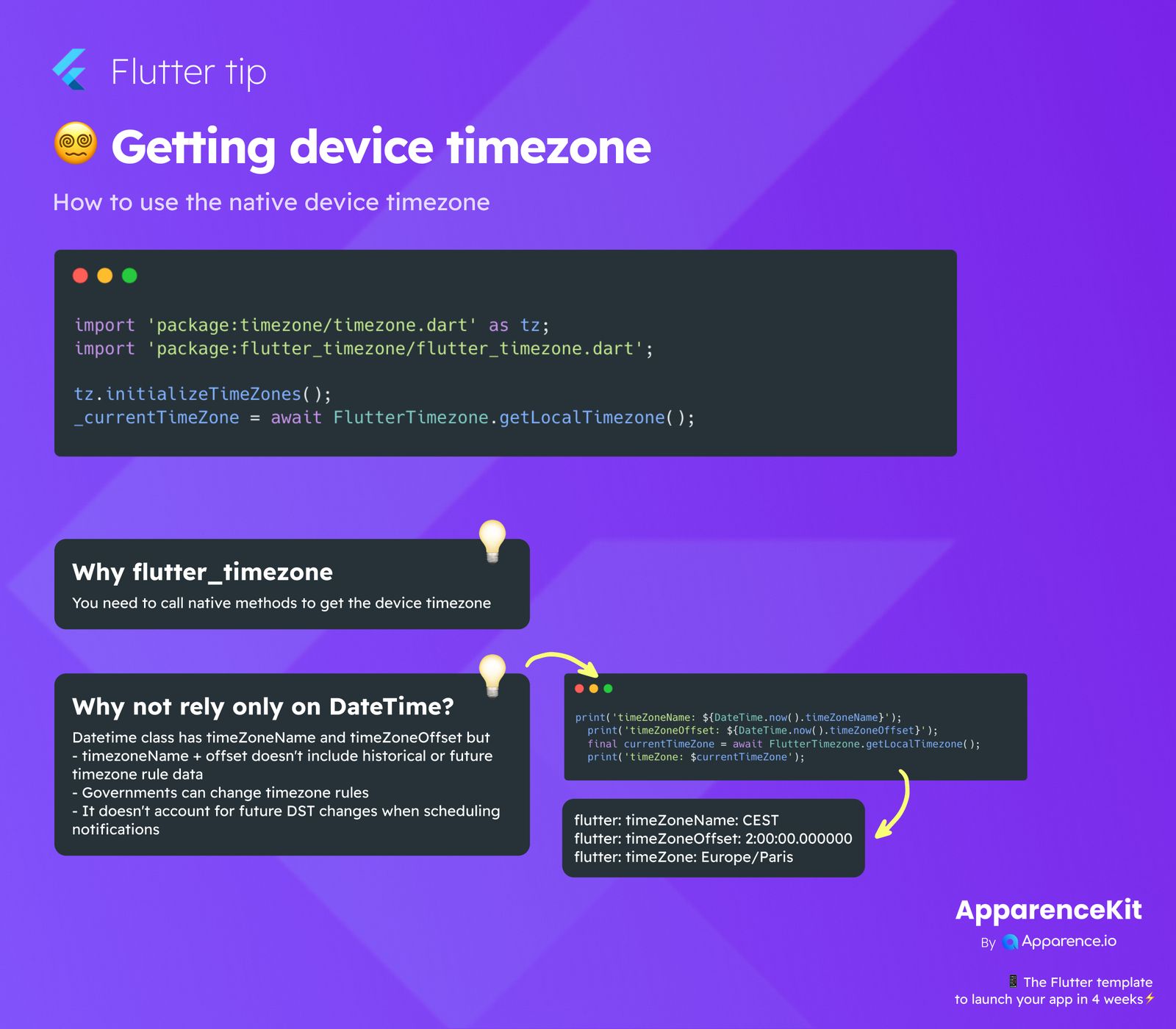
import 'package:timezone/timezone.dart' as tz;
import 'package:flutter_timezone/flutter_timezone.dart';

tz.initializeTimeZones();
_currentTimeZone = await FlutterTimezone.getLocalTimezone();
After adding the flutter_timezone package to your project, you'll import it along with timezone.dart. Then, you first initialize the timezone data and then simply call FlutterTimezone.getLocalTimezone() to fetch the current device timezone.
Why flutter_timezone is Essential
You might wonder why we need a special package for this. The main reason is that to get the real, native device timezone, you need to use specific methods that interact directly with the device's operating system. The flutter_timezone package handles this for you, making it easy to get accurate results.
Why DateTime Alone Isn't Enough for Timezones
Flutter's built-in DateTime class does have properties like timeZoneName and timeZoneOffset. However, relying solely on these can lead to issues for a few reasons:
-
Historical and Future Timezone Data
The
timeZoneNameandtimeZoneOffsetfromDateTimedon't include a complete history of timezone rules or future changes. This means they might not be accurate for past or future dates, especially when daylight saving time (DST) changes. -
Changing Timezone Rules
Governments can and do change timezone rules. If your app only uses the basic
DateTimeproperties, it won't automatically update to these new rules, leading to incorrect time calculations. -
Future DST Changes and Notifications
When you schedule notifications or events, it's crucial to account for future Daylight Saving Time changes.
DateTimedoesn't do this, which can cause notifications to fire at the wrong time if DST shifts occur.
Comparing DateTime vs flutter_timezone Output
Let's look at an example to see the difference:
print('timeZoneName: ${DateTime.now().timeZoneName}');
print('timeZoneOffset: ${DateTime.now().timeZoneOffset}');
final currentTimeZone = await FlutterTimezone.getLocalTimezone();
print('timeZone: $currentTimeZone');
This code might give you an output like:
flutter: timeZoneName: CEST
flutter: timeZoneOffset: 2:00:00.000000
flutter: timeZone: Europe/Paris
Notice how flutter_timezone gives a specific IANA timezone ID (e.g., Europe/Paris), which is much more robust than just an offset or a general name like CEST. This ID accounts for all the complexities of timezone rules, including DST.