Why Control Screenshots in Your Flutter App?
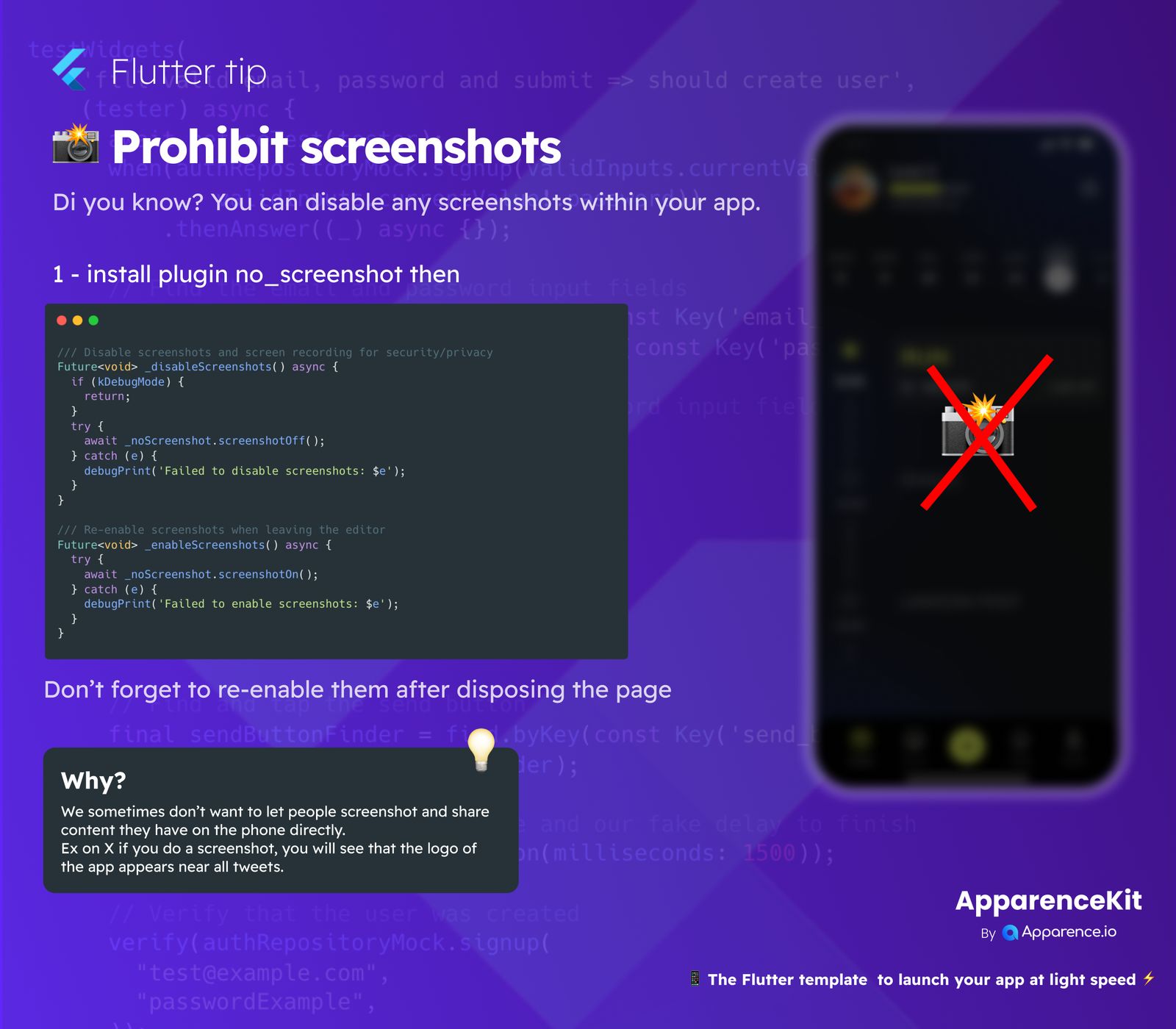
Sometimes, app developers want to control how users interact with content, especially when it comes to sharing. You might want to protect private information, prevent specific content from being directly shared, or ensure branding consistency. For example, some apps automatically add their logo to screenshots when they are shared on social media, while others block screenshots entirely for security reasons.
How to Prohibit Screenshots in a Flutter App
Step 1: Add the no_screenshot Plugin
The first thing you need to do is add the no_screenshot plugin to your Flutter project's pubspec.yaml file. This plugin gives you the tools to manage screenshot functionality.
Step 2: Disable Screenshots
To stop users from taking screenshots or recording their screen, call the noScreenshot.screenshotOff() method. It's a good idea to put this call inside a try-catch block to handle any errors. Also, consider only enabling this feature in production mode, not during development (kDebugMode).
/// This function disables screenshots and screen recording for security or privacy.
Future<void> _disableScreenshots() async {
  if (kDebugMode) { // Check if we are in debug mode
    return; // Don't disable screenshots during debugging
  }
  try {
    await noScreenshot.screenshotOff(); // Turn off screenshots
  } catch (e) {
    debugPrint('Failed to disable screenshots: $e'); // Log any errors
  }
}
Step 3: Re-enable Screenshots
It's very important to turn screenshots back on (noScreenshot.screenshotOn()) when the user leaves the sensitive page or when the widget is no longer needed. This ensures that users can take screenshots normally in other parts of your app or on other screens.
/// This function re-enables screenshots when leaving the sensitive screen.
Future<void> _enableScreenshots() async {
  try {
    await noScreenshot.screenshotOn(); // Turn on screenshots
  } catch (e) {
    debugPrint('Failed to enable screenshots: $e'); // Log any errors
  }
}
Important Reminder
Always make sure to re-enable screenshots once the user has moved away from the content you wanted to protect. Forgetting to do this can lead to a frustrating experience for your users.