Are you looking to make your Flutter app's code cleaner and easier to manage? Sometimes, simple checks can lead to surprisingly long and complicated lines of code. This is especially true for conditional statements that compare dates. But there's a neat trick to keep things tidy: Dart extensions!
Why Your If Statements Might Be Messy
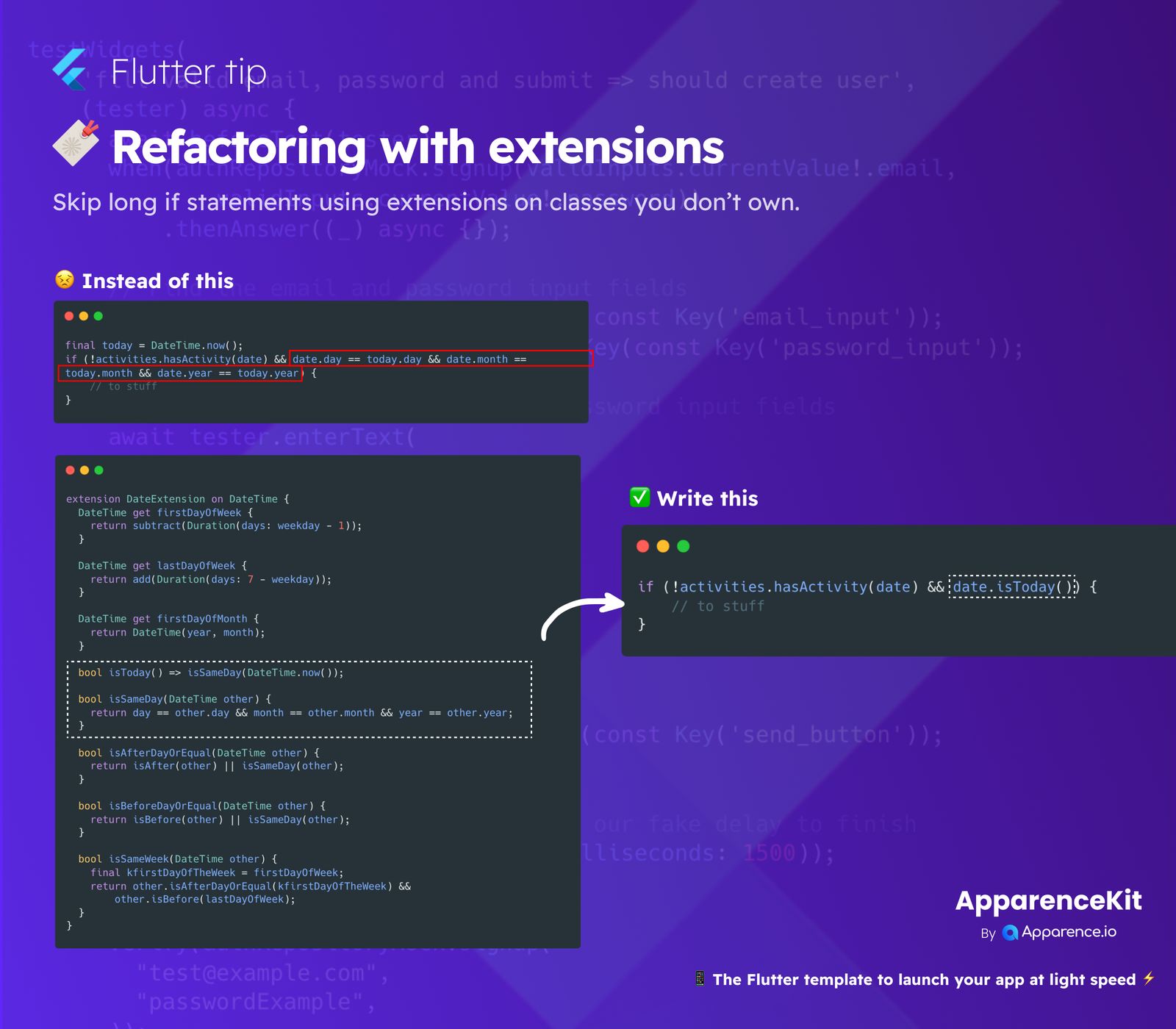
Imagine you need to check if a specific date variable (date) is the same as today's date (today). Without extensions, you often end up with a long if statement that looks something like this:
if (!activities.hasActivity(date) && date.day == today.day && date.month == today.month && date.year == today.year) {
    // Do some cool stuff
}
This kind of code is functional, but it's not very easy to read at a glance. It repeats date. and today. multiple times, making the condition harder to grasp quickly. As your app grows, these long lines can make your code harder to maintain and debug.
The Magic of Extensions
Dart extensions let you add new methods and properties to existing classes, even if you didn't create those classes yourself. Think of it as giving extra superpowers to classes like DateTime. This means you can simplify complex logic into a single, easy-to-understand method.
How Extensions Transform Your Code
Let's take our example from above. Instead of manually checking day, month, and year every time, we can create an extension method called isToday() for the DateTime class.
Before: Cluttered Conditions
Your code might look like this:
if (!activities.hasActivity(date) && date.day == today.day && date.month == today.month && date.year == today.year) {
    // Your logic here
}
After: Elegant & Simple
With an extension, that same condition becomes much more streamlined:
if (!activities.hasActivity(date) && date.isToday()) {
    // Your logic here
}
Isn't that much easier to read? date.isToday() clearly communicates its purpose, making your code instantly more understandable.
Building Your Own DateExtension
To achieve this, you'd define an extension like this:
extension DateExtension on DateTime {
    // Checks if this date is the current day
    bool isToday() => isSameDay(DateTime.now());

    // Checks if this date is the same day as another date
    bool isSameDay(DateTime other) {
        return day == other.day && month == other.month && year == other.year;
    }

    ##### Other useful methods you can add:
    // DateTime get firstDayOfWeek { /* ... */ }
    // DateTime get lastDayOfWeek { /* ... */ }
    // bool isSameWeek(DateTime other) { /* ... */ }
    // bool isAfterDayOrEqual(DateTime other) { /* ... */ }
}
This DateExtension adds powerful, custom methods directly to DateTime objects. Now, any DateTime variable in your app can use isToday(), simplifying your conditional logic across your project.
Boost Your Code's Quality!
Using extensions for refactoring is a fantastic way to write cleaner, more readable, and more maintainable Flutter and Dart code. It helps you encapsulate common logic and keeps your main application code focused and concise. Give your code an upgrade today!