Simplify Your Code with Smart Type Checking
Flutter development keeps getting better, and so can your code! If you've been working with sealed classes and found yourself writing separate lines to check a type and then cast it, there's a much cleaner way now.
The Old Way: Separate Type Checking and Casting
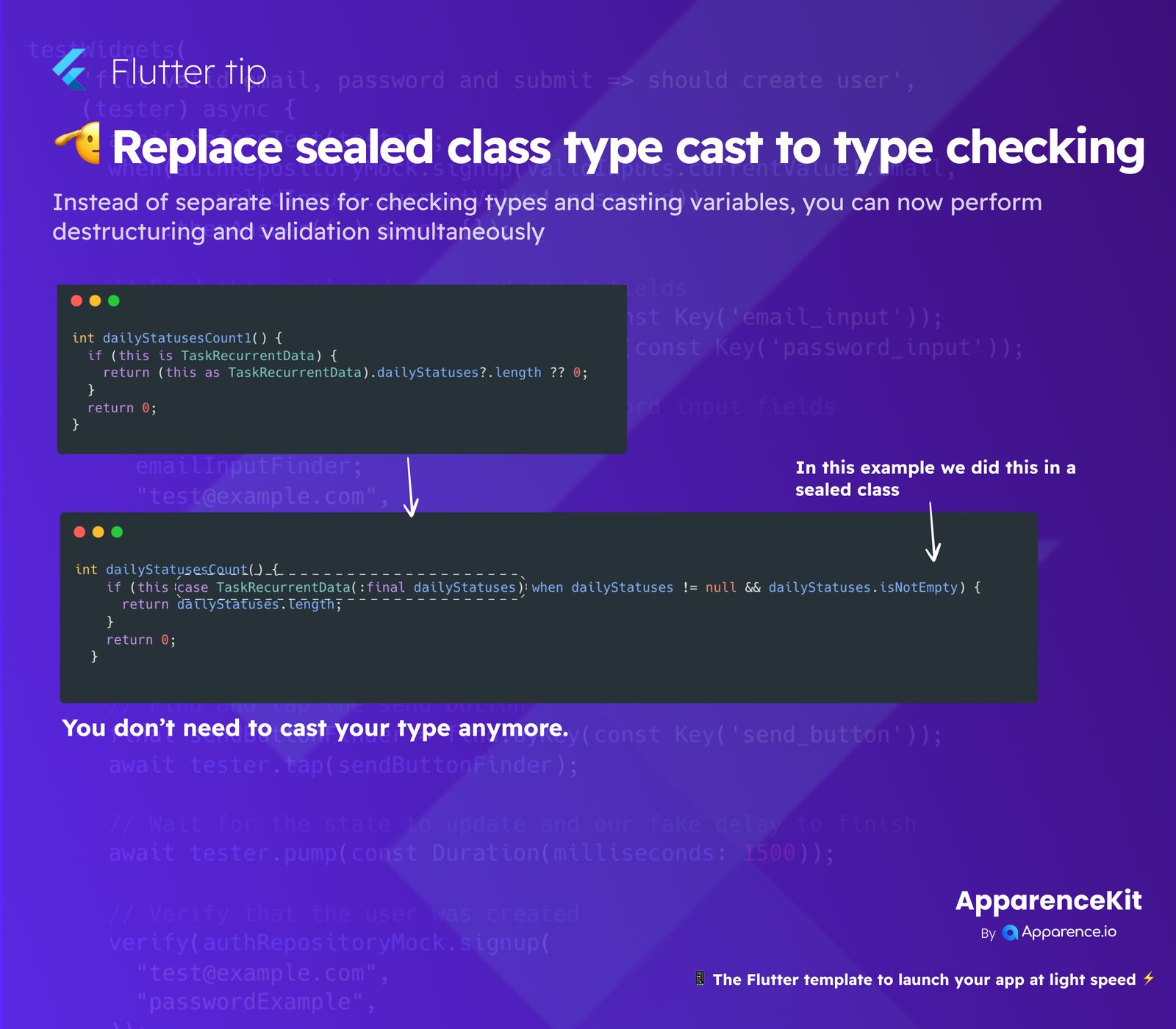
Before, you might have written code that first checked if an object was a certain type using is, and then, in a separate step, explicitly cast it using as. This method works, but it can make your code longer and a bit less direct.
Example of Old Type Casting
Imagine you had an object and needed to ensure it was a TaskRecurrentData to access its dailyStatuses. You'd check if (this is TaskRecurrentData) and then cast (this as TaskRecurrentData) to get to the dailyStatuses property.
The New Way: Direct Type Checking and Destructuring
Good news! With recent updates, you can now combine these steps. When you're using sealed classes, you can leverage pattern matching to check the type and immediately pull out the specific data you need—all at once. This process is often called "destructuring," and it helps you extract parts of an object directly into new variables.
Why This Is Better
This new approach offers several key benefits:
- Cleaner Code: You write less code, which makes it easier to read and understand what's happening.
- Safer: It helps prevent common errors by ensuring you're working with the correct type right from the start.
- Simultaneous Validation: You can even add extra conditions (like
when dailyStatuses != null && dailyStatuses.isNotEmpty) directly within your type check. This allows you to validate your data as you extract it.
Essentially, you no longer need to explicitly "cast" your type in a separate line. The Dart language smartly handles it when you match the pattern. This makes managing different states within a sealed class much more elegant and efficient, leading to much neater and more robust Flutter apps!