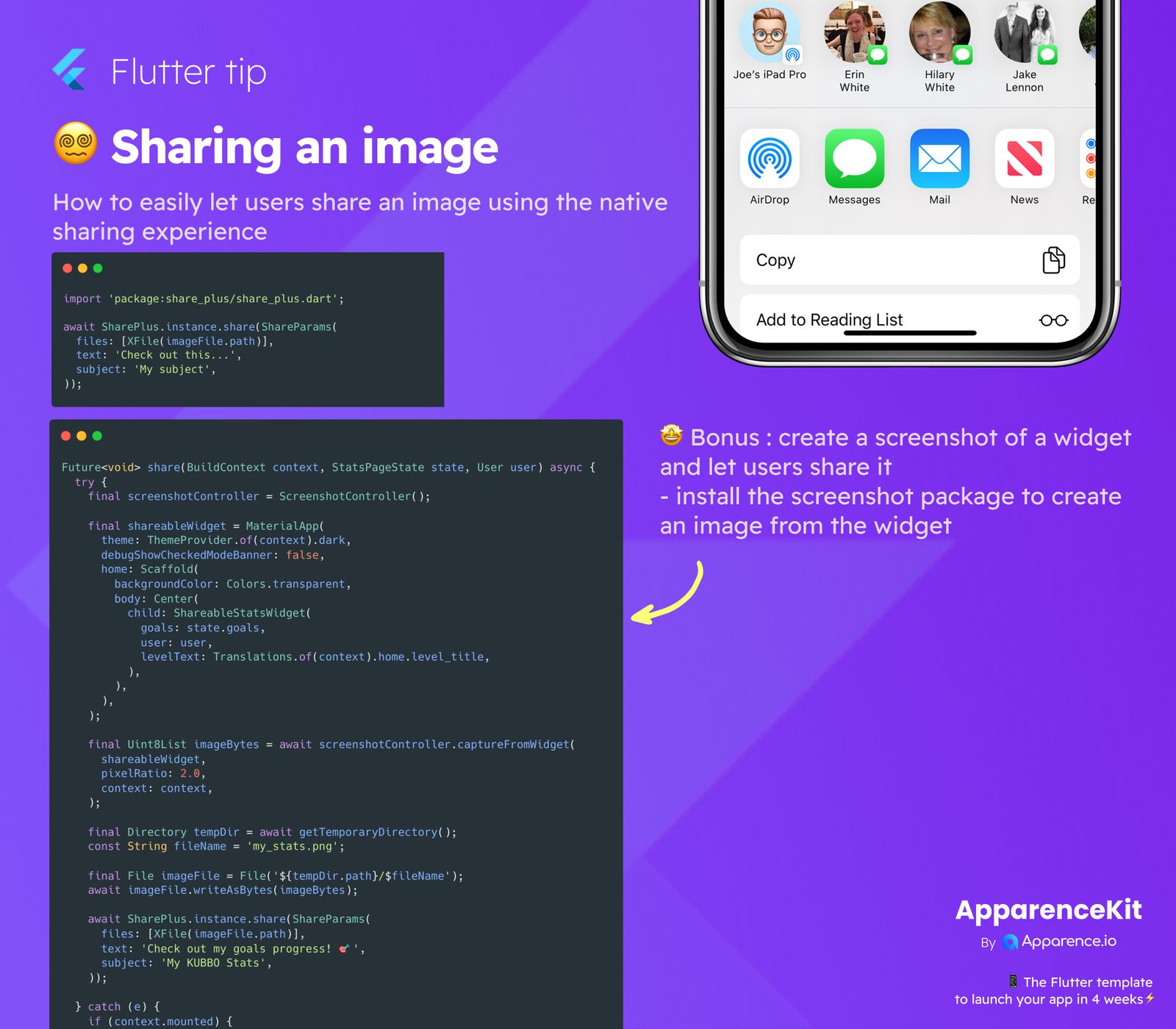
Flutter makes it easy to let your users share images directly from your app. This uses the native sharing options on their device, giving them a smooth experience!
How to Share an Image Easily
The simplest way to share an existing image file is by using the share_plus package.
Step 1: Add share_plus
First, add share_plus to your pubspec.yaml file.
Step 2: Share Your Image
Once installed, sharing an image file is straightforward. You'll need the path to your image file.
import 'package:share_plus/share_plus.dart';

await SharePlus.instance.share(ShareParams(
  files: [XFile(imageFile.path)],
  text: 'Check out this...',
  subject: 'My subject',
));
This code will open the native share sheet, allowing users to pick where they want to send the image.
Bonus: Share a Widget as an Image!
Imagine wanting to share a custom chart or a user's progress. You can actually turn any Flutter widget into an image and then share it!
Capturing a Widget Screenshot
To do this, you'll need the screenshot package. It helps you "capture" any widget on your screen.
Steps to Capture and Share
- Install Packages: Add both
screenshotandpath_provider(to save the image temporarily) to yourpubspec.yaml. - Create a
ScreenshotController: This helps manage the capture. - Capture the Widget: Use the controller to capture the widget.
- Save Temporarily: Save the captured image bytes to a temporary file.
- Share: Use
share_pluswith the path to your temporary image file.
Here's an example:
import 'package:share_plus/share_plus.dart';
import 'package:screenshot/screenshot.dart';
import 'package:path_provider/path_provider.dart';
import 'dart:io';
import 'dart:typed_data'; // For Uint8List

Future<void> shareMyWidget(BuildContext context) async {
  final screenshotController = ScreenshotController();

  // This is the widget you want to capture and share.
  // Replace `Text('My Awesome Stats!')` with your actual custom widget.
  final shareableWidget = MaterialApp(
    debugShowCheckedModeBanner: false, // Hide debug banner
    home: Scaffold(
      backgroundColor: Colors.transparent,
      body: Center(
        child: Text('My Awesome Stats!', style: TextStyle(fontSize: 24, color: Colors.black)),
      ),
    ),
  );

  try {
    final Uint8List? imageBytes = await screenshotController.captureFromWidget(
      shareableWidget,
      pixelRatio: 2.0, // For better quality
      context: context, // Needed to build the widget tree
    );

    if (imageBytes == null) {
      print('Image capture failed.');
      return; // Handle if capture fails
    }

    final tempDir = await getTemporaryDirectory();
    final fileName = 'my_stats.png';
    final imageFile = File('${tempDir.path}/$fileName');
    await imageFile.writeAsBytes(imageBytes);

    await SharePlus.instance.share(ShareParams(
      files: [XFile(imageFile.path)],
      text: 'Check out my goals progress! 🎉',
      subject: 'My KUBBO Stats',
    ));
  } catch (e) {
    print('Error sharing widget: $e');
  }
}
This powerful method lets you create and share dynamic content right from your app's UI. Make your app's sharing experience top-notch!