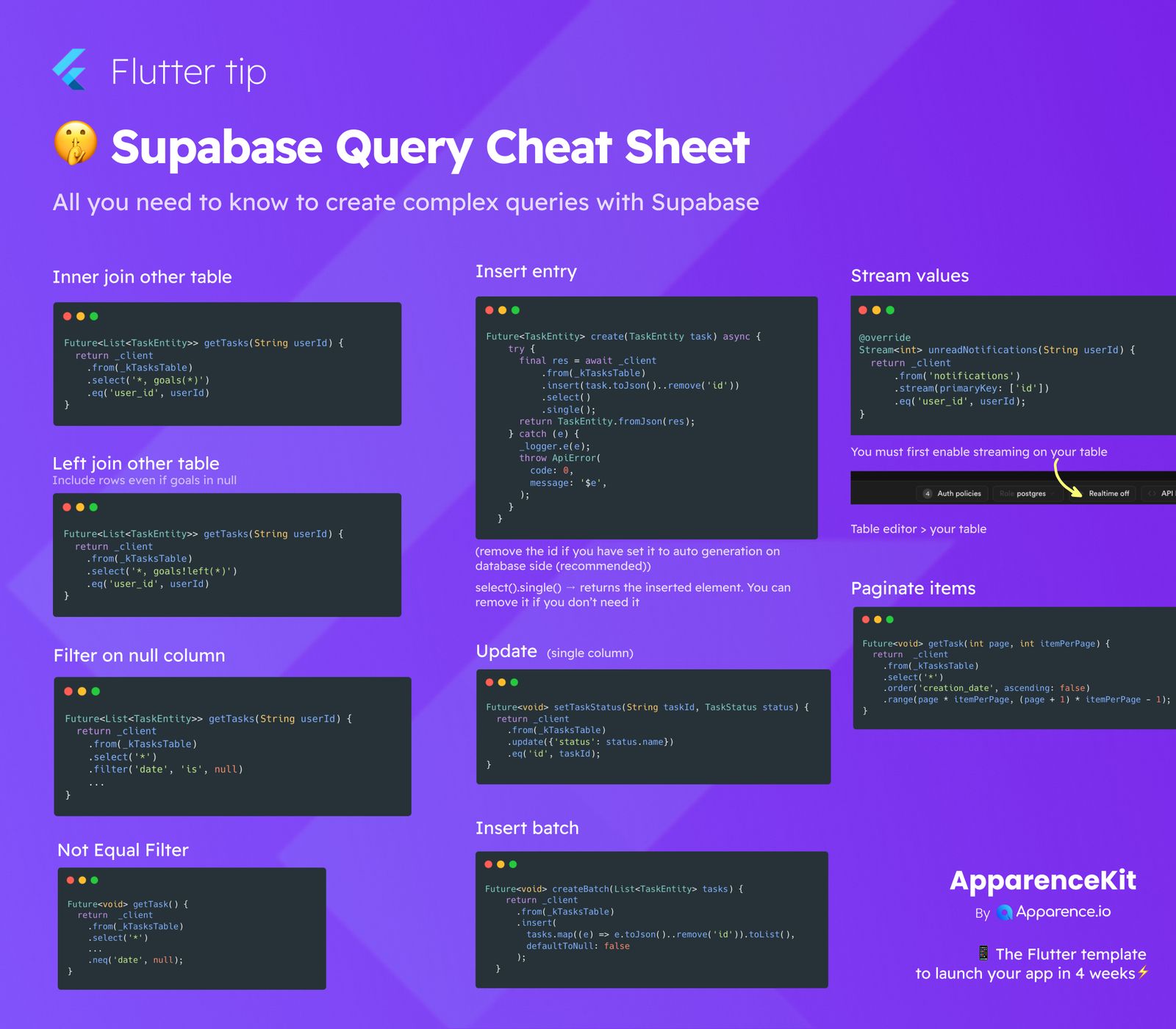
Are you working with Supabase and looking for quick ways to handle complex database queries? This cheat sheet is for you! It covers essential query patterns, making it easier to manage your data, whether you're joining tables, inserting new entries, or getting real-time updates.
Joining Tables
Sometimes, you need to pull information from more than one table. Supabase makes this straightforward.
Inner Join Other Table
An inner join helps you combine rows from two or more tables based on a common field. It only returns rows when there's a match in all tables.
Future<List<TaskEntity>> getTasks(String userId) {
  return _client
    .from(_kTasksTable)
    .select('*, goals(*)')
    .eq('user_id', userId);
}
Left Join Other Table
If you want to include all rows from the 'left' table, even if there's no matching entry in the 'right' table (meaning some columns might be null), a left join is what you need.
Future<List<TaskEntity>> getTasks(String userId) {
  return _client
    .from(_kTasksTable)
    .select('*, goals!left(*)')
    .eq('user_id', userId);
}
Data Manipulation
Adding and changing data are core database operations.
Insert Entry
To add a new record to your table, you'll use the insert method. Remember, if your 'id' column is set to auto-generate in your database, you should remove it from your data before inserting.
Future<TaskEntity> create(TaskEntity task) async {
  try {
    final res = await _client
      .from(_kTasksTable)
      .insert(task.toJson()..remove('id'))
      .select()
      .single();
    return TaskEntity.fromJson(res);
  } catch (e) {
    _logger.e(e);
    throw ApiError(
      code: 0,
      message: '$e',
    );
  }
}- Tip:
select().single()returns the newly inserted item. You can skip it if you don't need the returned data.
Insert Batch
When you have many records to add at once, inserting them in a batch is much more efficient.
Future<void> createBatch(List<TaskEntity> tasks) {
  return _client
    .from(_kTasksTable)
    .insert(
      tasks.map((e) => e.toJson()..remove('id')).toList(),
      defaultToNull: false,
    );
}
Update (Single Column)
Need to change a specific value for an existing record? Use the update method, specifying the column and the new value.
Future<void> setTaskStatus(String taskId, TaskStatus status) {
  return _client
    .from(_kTasksTable)
    .update({'status': status.name})
    .eq('id', taskId);
}
Filtering Data
Finding specific records is crucial for any application.
Filter on Null Column
To retrieve all records where a particular column has no value (is null), use the filter method with 'is', null.
Future<List<TaskEntity>> getTasks(String userId) {
  return _client
    .from(_kTasksTable)
    .select('*')
    .filter('date', 'is', null);
}
Not Equal Filter
If you want to get records where a column's value is not equal to something, the neq method is your friend.
Future<void> getTask() {
  return _client
    .from(_kTasksTable)
    .select('*')
    .neq('date', null);
}
Real-time and Pagination
Stream Values
Supabase allows you to get real-time updates as your data changes. This is super useful for live dashboards or chat applications.
Stream<int> unreadNotifications(String userId) {
return _client
.from('notifications')
.stream(primaryKey: ['id'])
.eq('user_id', userId);
}- Important: You must first enable real-time streaming on your table in the Supabase dashboard (Table editor > your table).
Paginate Items
For large datasets, fetching all items at once can be slow. Pagination lets you fetch data in smaller, manageable chunks (pages).
Future<void> getTask(int page, int itemPerPage) {
  return _client
    .from(_kTasksTable)
    .select('*')
    .order('creation_date', ascending: false)
    .range(page * itemPerPage, (page + 1) * itemPerPage - 1);
}
This cheat sheet should give you a solid foundation for building powerful applications with Supabase. Happy coding!