Why use a widget key?

Gautier Siclon
Gautier Siclon

Co-founder, Apparence.io

Flutter tips · Published on

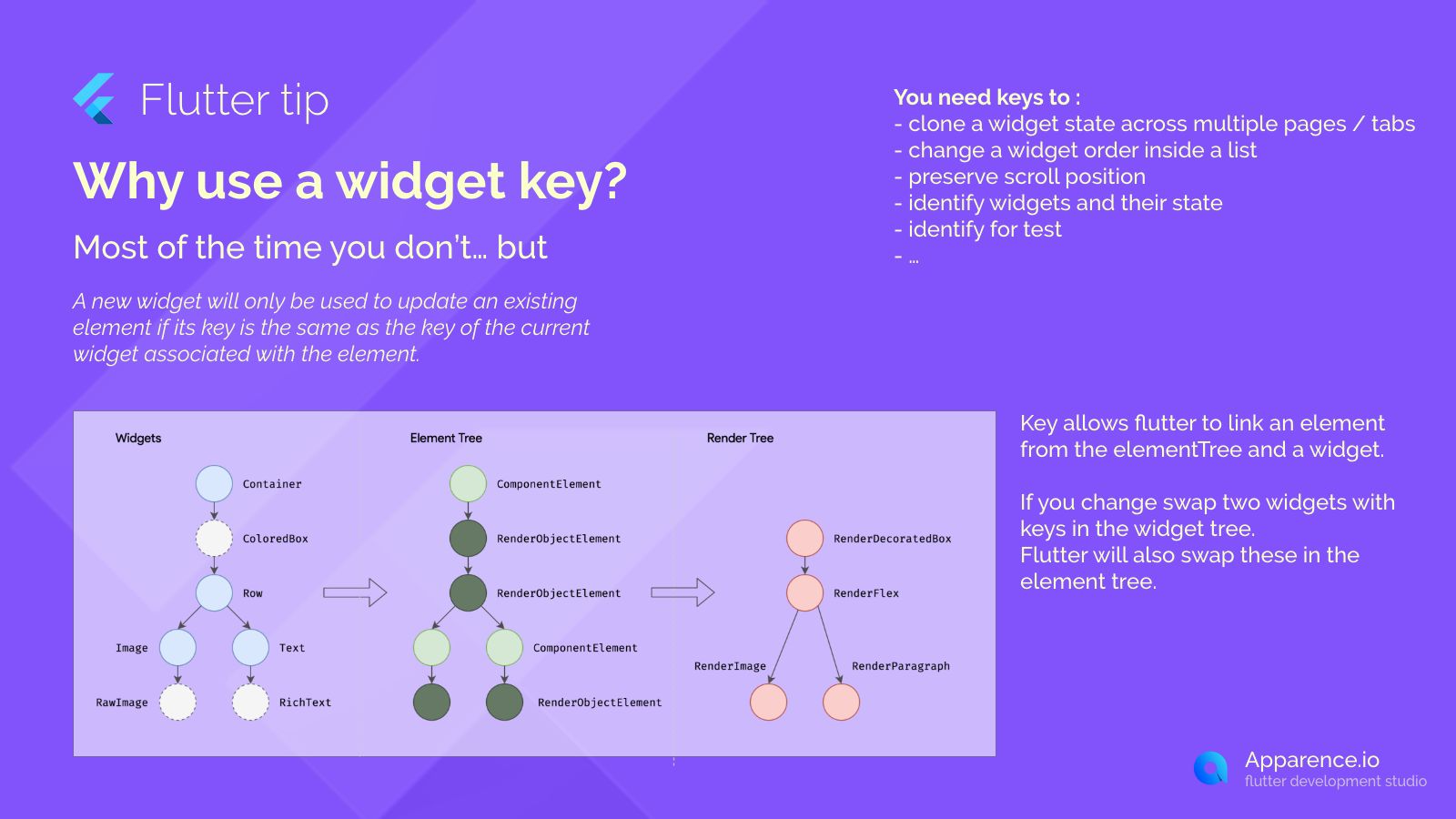
Most of the time you don't need to use a widget key in Flutter. A new widget will only be used to update an existing element if its key is the same as the key of the current widget associated with that element.

When You Need Keys

Keys become important in specific situations.

Key Use Cases

You need keys to:

  • clone a widget state across multiple pages or tabs
  • change a widget order inside a list
  • preserve scroll position
  • identify widgets and their state
  • identify for test

How Keys Work

Key allows Flutter to link an element from the ElementTree and a widget. If you change swap two widgets with keys in the widget tree, Flutter will also swap these in the element tree.

Save 3 months of work

One command. Pick your modules. Firebase or Supabase auto-configured. Start building what matters.

kickstarter for flutter apps

Frequently Asked Questions

Do I always need a widget key?

No, most of the time you don't need to use a widget key. Flutter often handles updates without them.

When should I use widget keys?

You should use keys when you need to preserve state across widget changes, manage items in dynamic lists, maintain scroll position, or identify specific widgets for testing or state management.

How do keys help with lists?

Keys help Flutter uniquely identify each item in a list. This is crucial when you add, remove, or reorder items, ensuring the correct state is kept for each element.

What is the main purpose of a widget key?

The main purpose is to allow Flutter to link a widget to its corresponding element in the ElementTree, helping Flutter understand when a new widget represents the same underlying object as a previous one.

Read more
You may also be interested in
Made by ApparenceKit logo
Featured on Twelve Tools
ApparenceKit is a flutter start kit | template generator tool by Apparence.io © 2026.
All rights reserved