Ever wanted to let users zoom into an image or move it around in your Flutter app?
There's a super handy widget for that called InteractiveViewer.
What is InteractiveViewer?
Flutter's InteractiveViewer widget is designed to make its child widget interactive. It lets users zoom, pan (move), and even apply transformations to the content inside it.
It works with any widget, not just images!
How to Use It with an Image
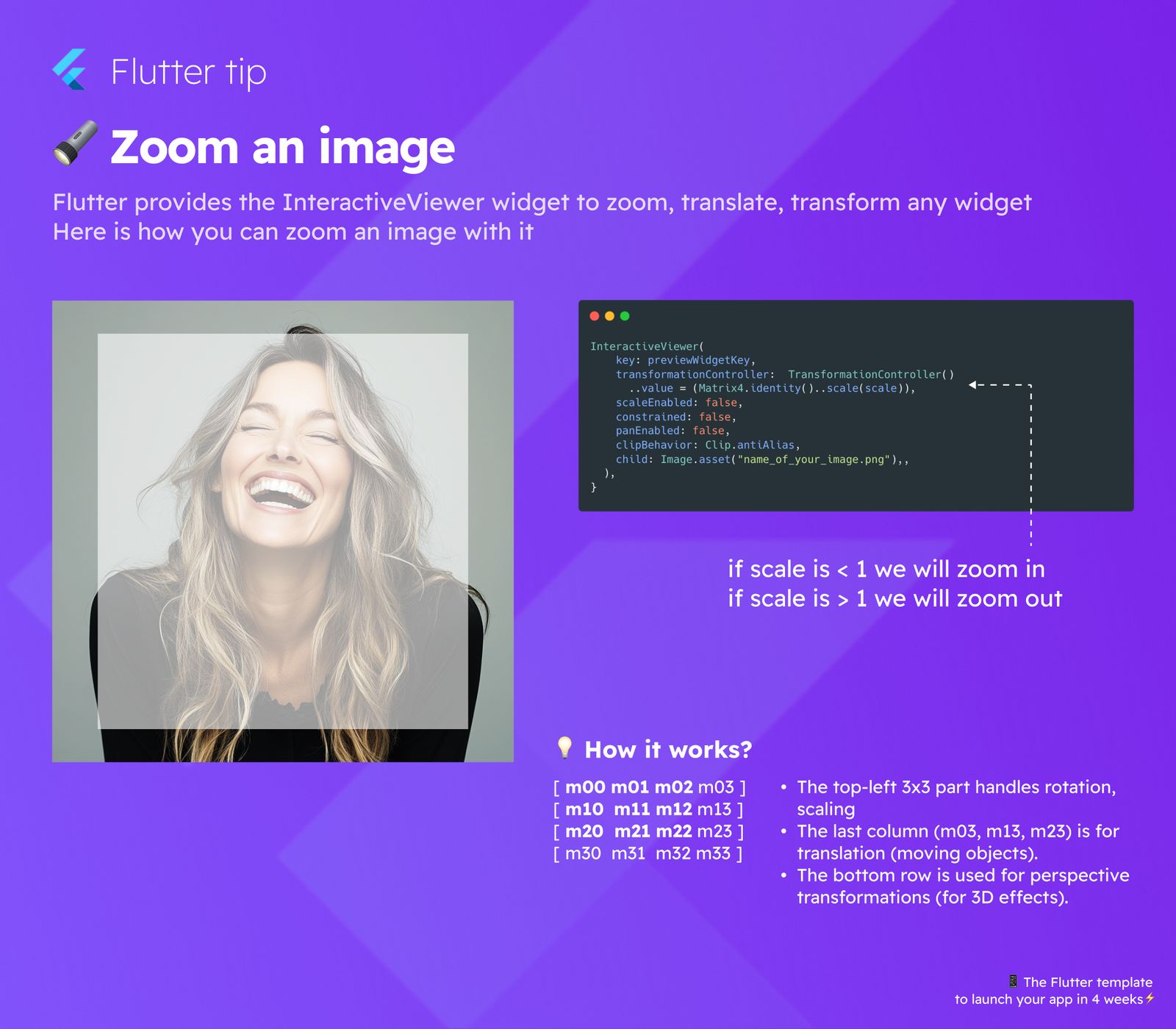
You can wrap an image widget with InteractiveViewer. Here's a simple example:
InteractiveViewer(
  key: previewWidgetKey, // An optional key
  transformationController: TransformationController(), // Controls the transformation
  scaleEnabled: true, // Allow scaling (zooming)
  constrained: false, // Set to true if the child fills the viewport
  panEnabled: true, // Allow panning (moving)
  clipBehavior: Clip.antiAlias, // How to clip content outside bounds
  child: Image.asset("name_of_your_image.png"), // Your widget here
)
In this code:
scaleEnabled: truelets you zoom.panEnabled: truelets you move the image around.childis where you put the widget you want to make interactive, like anImage.asset.
Understanding Zoom (Scaling)
The InteractiveViewer adjusts the scale value. This value determines how big the child widget appears:
- If the
scaleis less than1, the image will appear smaller than its original size (zooming out). - If the
scaleis greater than1, the image will appear larger (zooming in).
How Transformations Work (A little technical detail)
The movement, zoom, and other changes are handled by a Matrix4. Think of this as a special grid of numbers (4x4) that tells the widget how to appear on the screen.
Parts of the Matrix4
[ m00 m01 m02 m03 ] [ m10 m11 m12 m13 ] [ m20 m21 m22 m23 ] [ m30 m31 m32 m33 ]
What Each Part Does
- The top-left 3x3 section (m00 to m22) handles rotation and scaling (making things bigger or smaller).
- The last column (m03, m13, m23) handles translation (moving the object left/right, up/down, forward/backward).
- The bottom row (m30 to m33) is used for perspective transformations, which can create 3D effects.
Using InteractiveViewer simplifies all of this complex matrix math for you, so you can easily add zoom and pan features!